
How to Manage a Nonprofit Program or Grant Project
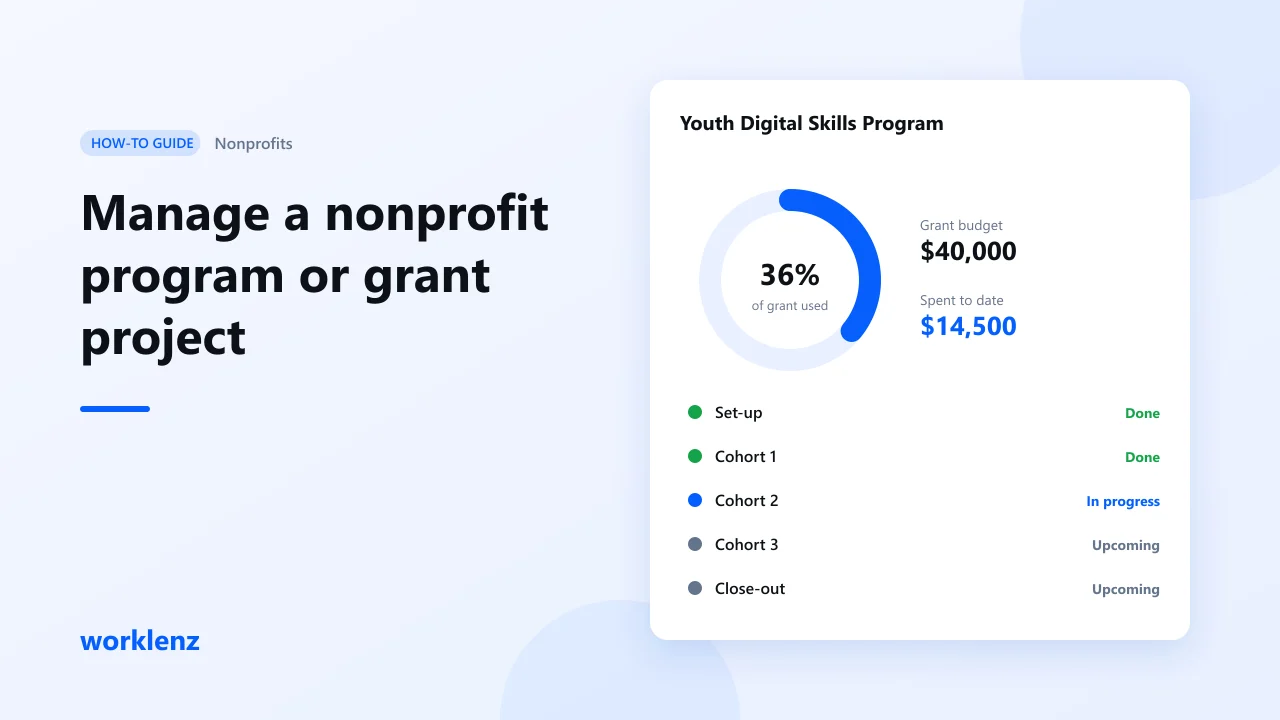
To run a nonprofit program or grant project, turn the grant’s milestones into phases, give every activity an owner and a date, log the time people spend, and track spending against the grant budget as you go. Then the funder report is mostly done before you start writing it. Worklenz has a built-in Nonprofit template to start from. Planning works on Free; time tracking is on Pro and budget tracking on Business.
What you’ll set up
| Step | Worklenz feature |
|---|---|
| 1. Create the program | Nonprofit template |
| 2. Mirror the grant milestones | Phases with dates |
| 3. Plan activities | Tasks, owners, labels |
| 4. Bring in partners and volunteers | Guests |
| 5. Automate routine work | Recurring tasks |
| 6. Track time | Timer, manual logs, time reports |
| 7. Track spend vs grant | Finance tab, fixed costs |
| 8. Prepare the funder report | Reports, export |
Before you start
- Have ready: the grant agreement (milestones, reporting dates, budget lines) and the people involved.
- Example used here: a 12-month youth digital skills program funded by a $40,000 grant, with quarterly reports.
Step 1: Create the project from the Nonprofit template
Go to Projects → Create Project and pick Nonprofit. Rename it after the program and funder. Treat the template as a starting point: rename or remove anything that doesn’t fit your grant.
Step 2: Turn grant milestones into phases
Funders report by milestone, so plan by milestone too.
| Phase | Dates | Milestone in the grant |
|---|---|---|
| Set-up | Months 1–2 | Partners signed, trainers recruited |
| Cohort 1 | Months 3–5 | 30 participants trained |
| Cohort 2 | Months 6–8 | 30 participants trained |
| Cohort 3 | Months 9–11 | 30 participants trained |
| Close-out | Month 12 | Final report and evaluation |
Give each phase start and end dates. Add the funder’s reporting deadlines as tasks with due dates, so they never sneak up on you.
Step 3: Plan activities with owners and labels
Add the activities under each phase, with an owner and a due date. Labels help you report later. For example:
| Label | Use it for |
|---|---|
| Delivery | Training sessions, workshops |
| Outreach | Recruiting participants |
| Admin | Contracts, procurement |
| Reporting | Funder reports, data collection |
| Evaluation | Surveys, interviews |
Step 4: Add partners and volunteers as guests
Invite partner staff or lead volunteers as guests. They can see the plan and follow progress without changing it. Pro includes 3 guests per project; Business has unlimited guests. Volunteers who need to update their own tasks should be members instead.
Step 5: Set up recurring tasks
Monthly attendance data, weekly trainer check-ins and quarterly reports repeat. Make them recurring tasks so they appear on schedule without anyone remembering.
Step 6: Log staff time
Many grants pay for staff time, or ask for it as match funding. Have staff log time on tasks with the timer or manually. The time reports then show hours by person and by project, which is the evidence funders ask for.
Step 7: Track spending against the grant
On Business, enter the grant amount as the project budget in the Finance tab. Add non-staff costs (venue hire, laptops, travel) as fixed costs on the tasks they belong to, and set a rate card if staff time is charged to the grant. The Finance tab shows budget used, remaining budget and variance, so you can spot underspend or overspend by quarter, not at year end.
Step 8: Gather the funder report
At each reporting date, pull together:
- phase progress (what was delivered in this milestone)
- time reports (staff hours on the program)
- the Finance tab or an export (spend against the grant)
You’ll still write the story yourself, but the numbers are already in one place.
Worked example
At the end of month 5, Cohort 1 is done: 32 participants trained. Staff logged 410 hours. The Finance tab shows $14,500 of $40,000 used (36%) after 42% of the program time. Slight underspend, explained by a donated venue. That goes straight into the quarterly report.
Common mistakes
- Planning by activity, reporting by milestone. Use the funder’s milestones as phases from the start.
- Reporting deadlines kept in someone’s calendar. Make them tasks with owners.
- Staff time not logged. If the grant pays for time, you need the record.
Checklist
- Grant milestones set up as dated phases
- Reporting deadlines added as tasks
- Every activity has an owner and a label
- Partners invited as guests, active volunteers as members
- Staff log time weekly
- Spend tracked against the grant (Business)
FAQ
Is Worklenz grant management software?
Can we self-host it?
Which plan do we need?
Related: Nonprofit template · Self-hosted project management · How to plan a project timeline with phases