Worklenz
Sign in
EN

Creative & Design template

UX Design Template

Run a user experience project from research to developer handoff: user research, problem definition, ideas, prototypes, usability testing and handoff.

  • Free plan available
  • Open source (AGPL-3.0)
  • Cloud or self-hosted
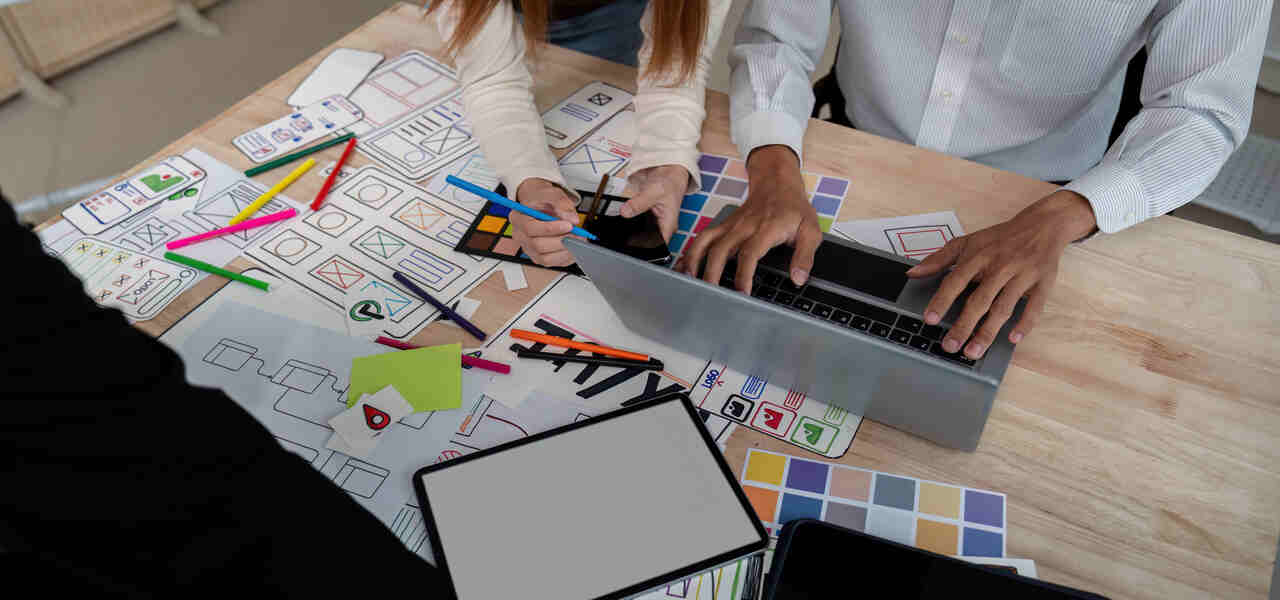
UX designer sketching wireframes for an app

What's included in the UX Design template

phases
6
tasks
18
labels
5
statuses
3
1. Research · 3 tasks
  • Agree goals and constraintsBusiness goals, user goals, technical limits and the timeline.
  • Interview usersTalk to five to eight users about their goals, tasks and frustrations.
  • Review analytics and support dataFind where users drop off and what they ask support about.
2. Define · 4 tasks
  • Synthesise researchGroup findings into themes and key insights.
  • Write personas or user profilesShort profiles of the main user types and their goals.
  • Map the user journeyShow the current journey and where it breaks.
  • Write problem statementsTurn insights into clear problems the design must solve.
3. Ideate · 2 tasks
  • Run an ideation sessionGenerate solutions with designers, developers and stakeholders.
  • Sketch user flowsSketch the steps users take to complete key tasks.
4. Prototype · 2 tasks
  • Create wireframesLow-fidelity layouts of key screens.
  • Build an interactive prototypeA clickable prototype of the main flows.
5. Test · 3 tasks
  • Plan usability testsDefine tasks, participants and success measures.
  • Run usability testsWatch five or more users complete key tasks and note problems.
  • Iterate on the designFix the most serious problems and test again if needed.
6. Handoff · 4 tasks
  • Finalise high-fidelity designsPolished designs for every screen and state.
  • Write specificationsInteractions, edge cases, error states and accessibility notes.
  • Hand off to developersWalk developers through the designs and answer questions.
  • Review the buildCheck the built product matches the design and fix gaps.

Labels

  • Research
  • Usability issue
  • Accessibility
  • Ready for dev
  • Waiting on feedback

Who this template is for

  • UX and product design agencies working on client apps and websites
  • In-house product design teams running discovery and design sprints
  • Freelance UX designers who want a clear, explainable process

When to use a UX design template

UX design is easy to shortcut. Teams skip research because the deadline is close, design screens from assumptions and discover problems after the product is built, when fixing them costs far more. A UX template keeps the essential steps in the plan, even on short projects: talk to users, define the problem, prototype, test and hand off clearly.

Use it for redesigning an app or website flow, designing a new feature or product, or improving conversion on a key journey. It suits UX agencies, product teams and freelancers.

How the template is structured

  1. Research. Agree goals and constraints, interview users and review analytics and support data.
  2. Define. Synthesise research, write user profiles, map the journey and write problem statements. A clear problem statement keeps the rest of the project focused.
  3. Ideate. Generate solutions together and sketch user flows.
  4. Prototype. Create wireframes, then a clickable prototype of the main flows.
  5. Test. Plan and run usability tests, then iterate on the design.
  6. Handoff. Finalise designs, write specifications, walk developers through them and review the build.

The Usability issue label tracks problems found in testing until they are fixed.

How to use it in Worklenz

  1. Create a project for the UX work and add designers, researchers and developers.
  2. Add the phases and tasks above and attach research notes, prototypes and specs to their tasks.
  3. Log usability problems as tasks with the Usability issue label so none are forgotten.
  4. Use the board to move designs from wireframe to prototype to ready for dev.
  5. Track time on the Pro plan and above to see how long research and testing take.

Making UX work visible and billable

Research and testing are the first activities cut when budgets are tight, partly because their cost is rarely measured. Logging time with time tracking shows exactly what research and testing cost, which makes it easier to protect them in proposals. On the Business plan, project finance compares the project budget with the cost of logged time.

Example: improving a checkout flow

A UX agency is asked to improve the checkout of an online store. Analytics show most users drop off at the delivery step, and interviews reveal that delivery costs appear too late. The team writes a problem statement, sketches three alternative flows and builds a prototype that shows costs earlier.

Usability tests with six customers find that two labels are confusing; the team fixes them and tests again. The designer hands off final screens with notes on error states, and reviews the built checkout before launch. The store tracks checkout completion to measure the result.

Who should be involved

A UX lead owns the process and the final recommendations. A researcher runs interviews and tests, and a UI designer produces the final screens. A developer should join ideation and handoff, because technical limits shape good design. A product owner or client stakeholder should agree the goals at the start and attend test sessions, which builds support for the changes the research recommends.

Common UX project mistakes

The first mistake is skipping research and designing from what stakeholders believe users want. The second is testing too late, with a finished product rather than a prototype, when changes are slow and expensive. The third is a thin handoff: developers receive screens without error states, edge cases or accessibility notes, and fill the gaps with guesses. The research, test and handoff phases in this template exist to prevent exactly these problems. Even on a short project, a small version of each phase is better than leaving one out.

Tips for better UX projects

  • Talk to users early. Even five interviews change the direction of most projects.
  • Write the problem before the solution. It keeps the team focused on what matters.
  • Test prototypes, not finished products. Changes are cheaper before development.
  • Stay involved after handoff. Reviewing the build catches gaps between design and reality.
  • Share research widely. A short summary of what users said helps everyone on the project make better decisions, long after the interviews are over.

Related: the website redesign template and the software development template.
Start your ux design project in Worklenz

Sign up free, then set up the phases and tasks above for your team.

UX Design template FAQs

What are the stages of a UX design project?

Research, define, ideate, prototype, test and hand off. This template turns each stage into a phase with tasks and descriptions.

How many users do I need for usability testing?

Testing with about five users per round finds many of the most common usability problems. Run another round after fixing them.

Is this UX design template free?

Yes. The full template is on this page, and Worklenz's free plan includes task lists, kanban boards and built-in project templates.

Can developers follow the UX work in the same project?

Yes. Developers can be added to the project, follow handoff tasks and use the Ready for dev label to see which designs are complete.

Creative & Design

Design & Creative Project template

Take a design or creative project from brief to final files: research, concepts, design, structured review rounds and production-ready delivery.

5 phases · 16 tasks. By Worklenz.

Creative & Design

Website Redesign template

Plan a website redesign without losing traffic: discovery, sitemap and content, design, build and QA, an SEO-safe launch and a post-launch review.

6 phases · 18 tasks. By Worklenz.

Creative & Design

Video Production template

Plan a video from brief to final export: script and storyboard, shoot logistics, editing, structured client reviews and delivery in every format.

5 phases · 17 tasks. By Worklenz.

Agency & Client Work

Client Onboarding template

A repeatable onboarding plan for agencies: collect access and assets, align on goals, run the kickoff and hand the client into delivery without missed steps.

5 phases · 18 tasks. By Worklenz.

Professional Services

Consulting Engagement template

Run a consulting engagement from signed scope to final handover: kickoff, discovery, delivery with regular client updates, and a close-out that sets up the next piece of work.

5 phases · 17 tasks. By Worklenz.

Marketing

Marketing Project template

A complete marketing project plan: research the audience, set the strategy, produce the assets, launch across channels and report on results.

5 phases · 16 tasks. By Worklenz.

Explore more templates

Run your next project from a template

Worklenz is an open-source platform for agencies and service teams: projects, time tracking and client work in one place.