Worklenz
Sign in
EN

Agency & Client Work template

Client Onboarding Template

A repeatable onboarding plan for agencies: collect access and assets, align on goals, run the kickoff and hand the client into delivery without missed steps.

  • Free plan available
  • Open source (AGPL-3.0)
  • Cloud or self-hosted
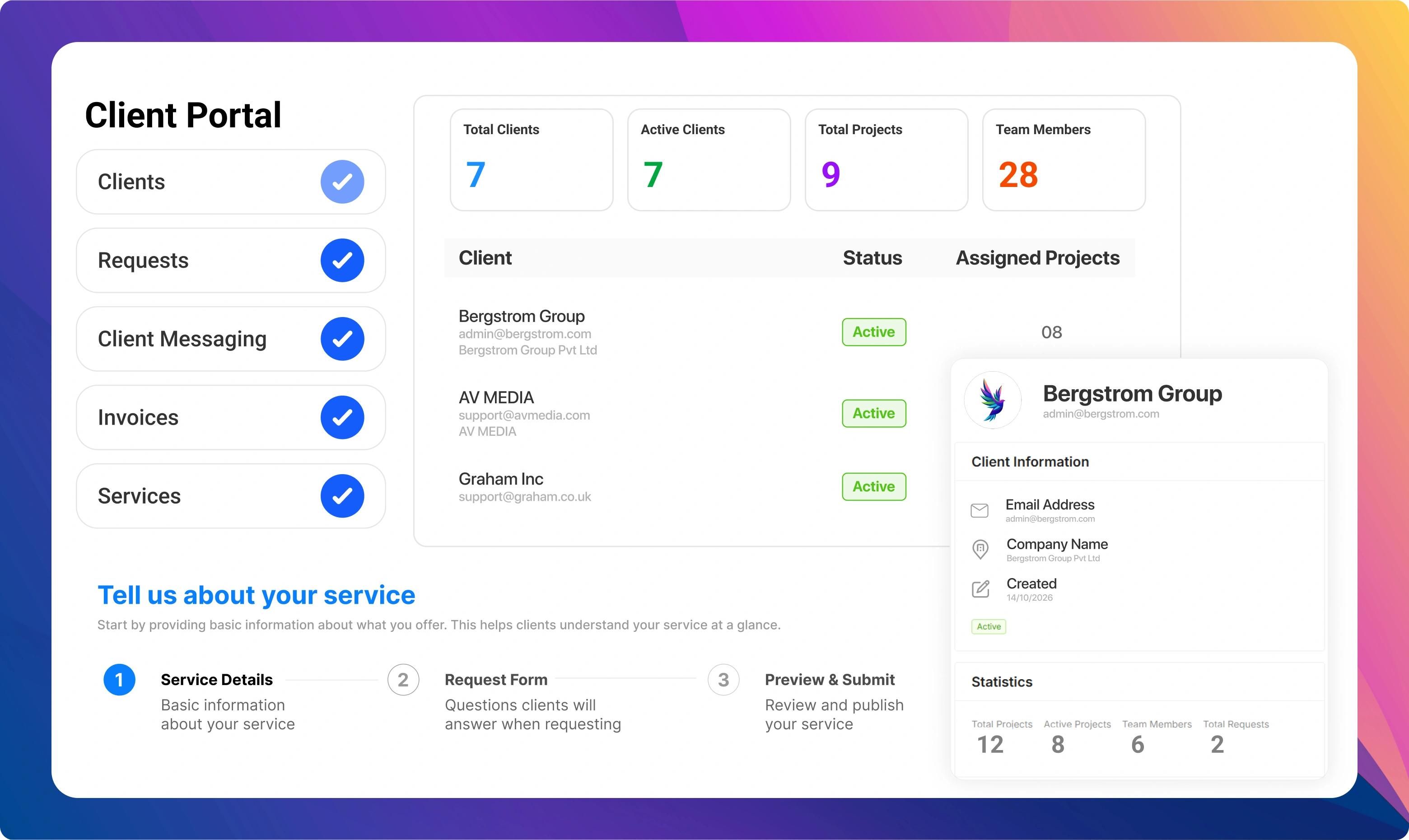
Worklenz client portal showing the client list, client details and the steps to set up a service

What's included in the Client Onboarding template

phases
5
tasks
18
labels
5
statuses
3
1. Contract & handover · 4 tasks
  • Confirm signed contract and scopeCheck the signed proposal or SOW is filed and the scope, budget and start date are clear to everyone.
  • Sales-to-delivery handoverWalk the delivery lead through the deal notes, promises made in sales and any known risks.
  • Create the client project in WorklenzSet up the project, add the delivery team and set the client as the project's client.
  • Send the welcome emailIntroduce the team, explain what happens in the next two weeks and share the intake form.
2. Intake & access · 4 tasks
  • Collect the intake questionnaireBusiness goals, audience, competitors, past work and what success looks like in 90 days.
  • Gather logins and tool accessWebsite, analytics, ad accounts, CMS and social profiles, stored in the client's password manager or yours.
  • Collect brand assetsLogos, brand guidelines, fonts, photography and any existing templates.
  • Confirm points of contact and approversWho briefs the team, who gives feedback and who signs off deliverables and invoices.
3. Kickoff · 3 tasks
  • Prepare the kickoff agendaGoals, scope recap, timeline, communication rhythm, roles and open questions.
  • Run the kickoff meetingAgree priorities for the first month and confirm the review and approval process.
  • Share kickoff notes and decisionsSend a short written summary so both teams work from the same decisions.
4. Setup & first plan · 4 tasks
  • Audit the current stateReview the client's existing channels, site or systems and note quick wins.
  • Build the first 30-day planTurn kickoff priorities into dated tasks with owners in the project.
  • Agree the reporting cadenceChoose weekly or monthly updates and the format the client expects.
  • Set up time tracking and budgetMake sure the team logs time to this project from day one so effort is visible against the plan.
5. First delivery & review · 3 tasks
  • Deliver the first quick winShip something visible in the first two weeks to build confidence.
  • Hold the 30-day check-inReview progress, collect feedback on the onboarding and adjust the plan.
  • Move the client to business as usualClose onboarding tasks and switch the project to its ongoing retainer or delivery workflow.

Labels

  • Waiting on client
  • Access needed
  • Approval
  • Quick win
  • Blocked

Who this template is for

  • Agencies onboarding several new retainer or project clients a month
  • Account managers who hand new clients over to a separate delivery team
  • Consultancies that need access, assets and sign-offs collected before work starts
  • Small teams replacing a scattered onboarding checklist in docs and email

When to use a client onboarding template

The first month with a new client sets the tone for the whole relationship. It is also where agencies lose the most time: chasing logins, re-asking questions sales already answered, and starting work before anyone has agreed who approves what. A client onboarding template fixes that by turning the first few weeks into the same short, checked sequence for every client.

Use this template when a contract is signed and the client is moving from sales to delivery. It suits retainer clients and fixed-scope projects alike. If you onboard more than one or two clients a month, or if different account managers onboard clients in different ways, a shared template is the quickest way to make the experience consistent.

How the template is structured

The plan has five phases that follow the order the work really happens in.

  1. Contract & handover. Confirm scope, budget and start date, and get the sales notes to the people who will do the work. Most onboarding problems start with a promise that never reached the delivery team.
  2. Intake & access. Collect the questionnaire, logins, brand assets and the names of the people who brief, review and approve. Treat access as the critical path: work cannot start without it.
  3. Kickoff. Run one structured meeting to agree goals, the first month’s priorities and how feedback and approvals will work, then write the decisions down.
  4. Setup & first plan. Audit what the client already has, turn the kickoff into a dated 30-day plan, agree the reporting rhythm and make sure time is tracked against the project from day one.
  5. First delivery & review. Ship a quick win, hold a 30-day check-in and move the client into your normal delivery workflow.

Labels such as Waiting on client and Access needed make it obvious which tasks are blocked by the client rather than by your team, which is useful in the weekly status call.

How to use it in Worklenz

  1. Sign up free and create the project. Name it after the client and set yourself as project manager.
  2. Add the phases and tasks. Recreate the five phases above, or import the task list from CSV on the Pro plan and above. Keep the descriptions so anyone picking up a task knows what done looks like.
  3. Assign owners and dates. Give each task one owner and a due date working back from the kickoff. View the plan as a list for detail or as a kanban board to see what is moving.
  4. Track time from the first task. On the Pro plan and above, time tracking shows how much effort onboarding really takes, which helps you price it properly next time.
  5. Save it as your agency’s template. When the plan fits how your team works, save it as a project template so every new client starts from the same checklist.

Making onboarding billable and visible

Onboarding is real work, and many agencies either give it away or never measure it. Logging time against the onboarding project shows the true cost per client, so you can decide whether to charge a setup fee or build it into the retainer. On the Business plan, project finance lets you set a budget and compare it with the cost of logged time, and the client portal gives clients one place to submit requests and follow progress instead of long email threads.

Tips from agency onboarding

  • Ask for access in the welcome email, not at the kickoff. It is the slowest item to arrive, so start it first.
  • Name one approver per area. Two people approving the same thing is the most common cause of rework in the first month.
  • Write the kickoff decisions down the same day. A five-line summary prevents most “I thought we agreed” conversations later.
  • Measure onboarding time. If it regularly takes longer than you planned, either the scope or the price of onboarding needs to change.

Adapting the template to your agency

Every agency onboards a little differently, so treat the five phases as a starting point. A performance marketing agency will add tasks for pixel and conversion tracking checks. A web studio will add hosting and domain access. A consultancy may replace the quick win with a short discovery report. Keep the order of the phases, though: confirm scope, collect access, align at kickoff, plan, then deliver. That sequence is what keeps the first month calm for your team and for the client.


Start your client onboarding project in Worklenz

Sign up free, then set up the phases and tasks above for your team.

Client Onboarding template FAQs

What should a client onboarding template include?

At minimum: contract and scope confirmation, an intake questionnaire, access and asset collection, named approvers, a kickoff meeting, a first plan and a check-in after the first month. This template includes all of them as phases and tasks.

How long should agency client onboarding take?

Most agencies aim to finish onboarding within two to four weeks, ending with a first visible deliverable and a 30-day check-in. Collecting access early is what usually decides whether you hit that window.

Is this client onboarding template free?

Yes. You can read the full template here and set it up on Worklenz's free plan, which includes task lists, kanban boards and built-in project templates. Time tracking and client-facing features are on paid plans.

Can clients see their onboarding progress?

On the Business plan, Worklenz includes a client portal where clients can log in, raise requests and follow updates. On other plans you can share progress through your regular status updates.

Can I reuse this onboarding plan for every new client?

Yes. Once you have adapted the phases and tasks to your agency, save the project as your own template so every new client starts from the same checklist. Project templates are included in the Pro plan and above.

Professional Services

Consulting Engagement template

Run a consulting engagement from signed scope to final handover: kickoff, discovery, delivery with regular client updates, and a close-out that sets up the next piece of work.

5 phases · 17 tasks. By Worklenz.

Marketing

Marketing Project template

A complete marketing project plan: research the audience, set the strategy, produce the assets, launch across channels and report on results.

5 phases · 16 tasks. By Worklenz.

Creative & Design

Design & Creative Project template

Take a design or creative project from brief to final files: research, concepts, design, structured review rounds and production-ready delivery.

5 phases · 16 tasks. By Worklenz.

Creative & Design

Website Redesign template

Plan a website redesign without losing traffic: discovery, sitemap and content, design, build and QA, an SEO-safe launch and a post-launch review.

6 phases · 18 tasks. By Worklenz.

Software & IT

Software Development template

Plan and deliver a software project in sprints: requirements, technical design, iterative development, testing, release and early support.

6 phases · 18 tasks. By Worklenz.

Software & IT

Bug Tracking template

A simple bug tracking workflow: capture clear reports, triage and prioritise, fix with review, verify and close, then learn from patterns.

5 phases · 15 tasks. By Worklenz.

Explore more templates

Run your next project from a template

Worklenz is an open-source platform for agencies and service teams: projects, time tracking and client work in one place.