
10 Best Open Source PM Tools for AI Teams (2027)
AI teams break most project management tools in three ways.
First, research doesn’t fit sprints. “Find out if a smaller model is good enough” might take two days or two months. Second, the tickets are sensitive. Specs mention datasets, customer samples, evaluation numbers and architecture choices that you’d rather not store on someone else’s SaaS. Third, agents are now teammates. Pipelines and coding agents want to open issues, post results and close tasks through an API.
Open source, self-hostable tools are a natural fit for all three. We checked licences and maintenance status on GitHub on 19 November 2026. We make Worklenz, which is on the list for one specific kind of AI team.
Quick picks
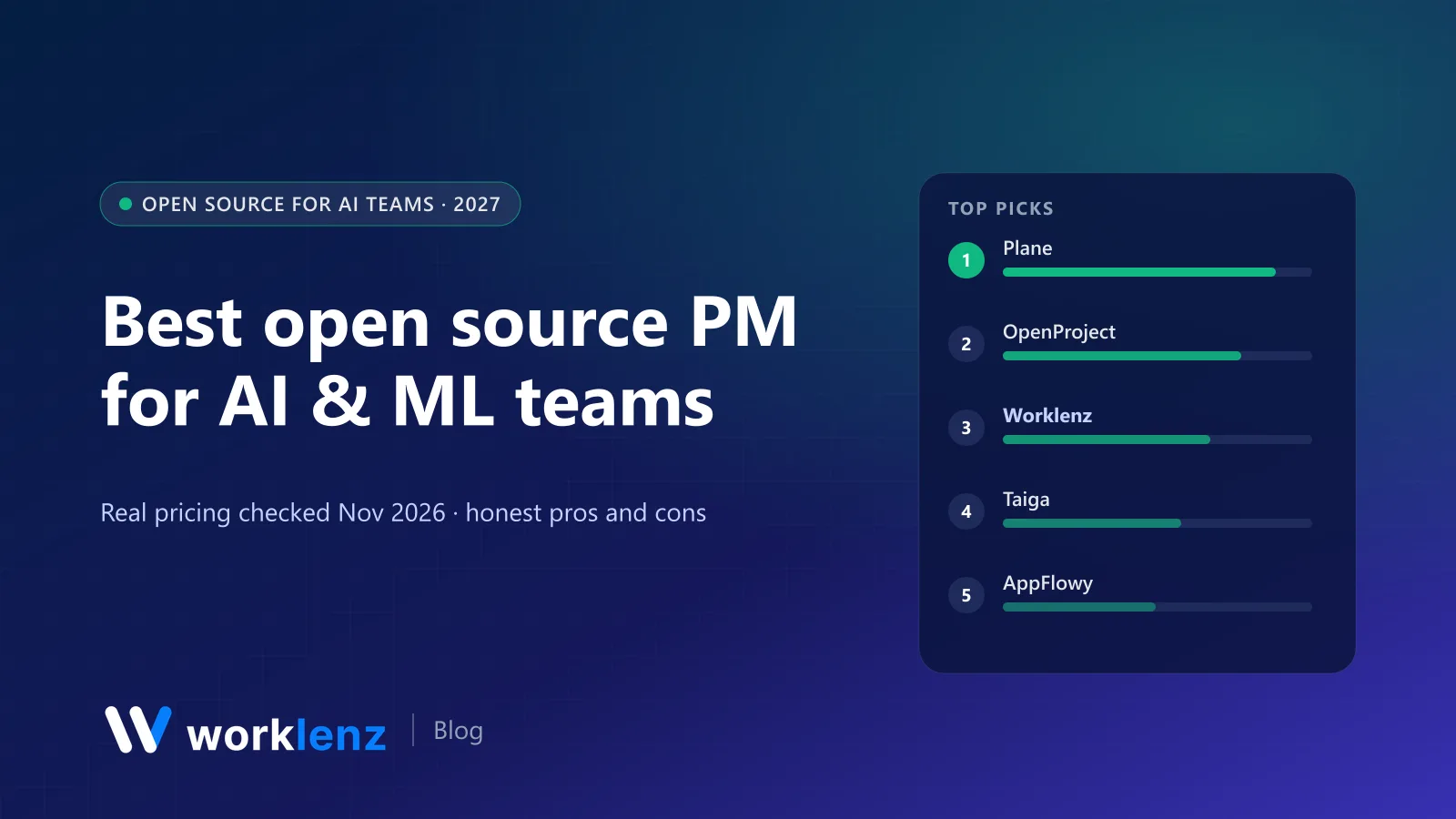
- Best for AI product and engineering teams: Plane
- Best for research programmes with milestones: OpenProject
- Best for AI consultancies and agencies: Worklenz
- Best for agile ML teams who like Scrum: Taiga
- Best AI-native workspace for docs and notes: AppFlowy
- Lightest self-hosted task manager: Vikunja
Comparison table
| Tool | Licence | GitHub stars | Strength for AI teams | Watch out for |
|---|---|---|---|---|
 Plane |
AGPL-3.0 | ~62.7k | Cycles, modules, issues; Linear-like speed | No time tracking or client billing |
 OpenProject |
GPL-3.0 | ~17.5k | Milestones, Gantt, roadmaps, budgets | Heavier for fast-moving teams |
 Worklenz |
AGPL-3.0 | ~3.3k | Client projects, time tracking, client portal | Not built for sprint velocity |
 Taiga |
MPL-2.0 | backend ~0.9k | Scrum and Kanban, epics, user stories | Smaller active community |
 AppFlowy |
AGPL-3.0 | ~79.2k | AI workspace, docs and databases | Not a full PM tool |
 AFFiNE |
MIT (community) | ~74.7k | Docs, whiteboards, databases | Light on task management |
 Leantime |
AGPL-3.0 | ~12.1k | Goals, ideas, simple PM | Limited engineering features |
 Redmine |
GPL-2.0 | ~6.1k (mirror) | Issue tracking, wiki, plugins | Dated interface |
 Vikunja |
AGPL-3.0 | ~6.1k | Lightweight tasks, easy self-hosting | Basic reporting |
 ZenTao |
AGPL-3.0 / ZPL | ~1.7k | Full agile lifecycle incl. QA | Interface and docs lean Chinese-first |
Not included: Huly (repository frozen, hosted service shut down), Focalboard (unmaintained) and Kanboard (maintenance mode).
Which tool for which kind of AI team
| Your team | Start with | Why |
|---|---|---|
| AI product startup shipping features | Plane | Fast issues and cycles, self-hostable |
| Research lab or grant-funded programme | OpenProject | Milestones, Gantt, budgets and reporting |
| AI consultancy or agency building for clients | Worklenz | Client projects, time tracking, client portal |
| ML team running textbook Scrum | Taiga | Sprints, stories and burndowns |
| Small research group that lives in docs | AppFlowy or AFFiNE | Private knowledge base with light tasks |
The 10 best open source tools for AI teams
1. Plane
Plane is the default choice for AI startups whose work is mostly engineering. Issues, cycles, modules, views and pages feel close to Linear, and the AGPL-3.0 community edition can run on your own infrastructure. The cloud free plan covers 12 users, with Pro at $6 a user annually. With ~63k GitHub stars, it’s one of the most active open source PM projects.
For research work, use modules for each research track and keep experiments as short-lived issues with a clear hypothesis and outcome.
Pick it if: you’re building an AI product and your team thinks in issues and cycles. Skip it if: you need time tracking, budgets or client reporting.
2. OpenProject
OpenProject (GPL-3.0) suits AI research programmes with formal structure: grant-funded projects, multi-partner consortia, or model development with fixed milestones and deliverables. Gantt charts, roadmaps, time and cost tracking and budgets are all in the free Community edition.
Pick it if: you report against milestones to funders, partners or a board. Skip it if: your team changes direction weekly.
3. Worklenz
Worklenz is the right pick for a specific AI team: AI consultancies, AI agencies and ML services firms that build models, RAG systems or AI features for clients. That work is client work. You need to scope it in phases, log time against it, show clients progress without inviting them into your engineering tracker, and invoice for it.
The open source build (AGPL-3.0) includes list, board and Gantt views, time tracking on tasks, resource planning, financial insights and a client portal, and it self-hosts with Docker so client data and IP stay on your infrastructure. Worklenz Cloud Pro ($6 a user annually) adds client invoices.
It’s not designed for sprint velocity or story points. Many AI consultancies run Plane or GitHub for engineering and Worklenz for client delivery.
Pick it if: you sell AI projects to clients. Skip it if: you’re an internal product team.
Self-host Worklenz or read about Worklenz as open source PM.
4. Taiga
Taiga is a mature agile tool with Scrum and Kanban, epics, user stories, sprints and burndown charts. Its backend is MPL-2.0. It’s a good fit for ML teams that already run proper Scrum.
Pick it if: you want structured agile ceremonies in open source. Skip it if: you want the most active community; Plane’s is larger.
5. AppFlowy
AppFlowy (AGPL-3.0, ~79k stars) describes itself as an open source AI collaborative workspace, a Notion alternative with docs, databases and boards. For AI teams it’s a strong home for research notes, paper summaries, prompt libraries and evaluation write-ups, and it can be self-hosted.
Pick it if: your team needs a private knowledge base with light task tracking. Skip it if: you need dependencies, workload or time tracking.
6. AFFiNE
AFFiNE (community edition MIT, ~75k stars) combines docs, whiteboards and databases. Whiteboards are useful for architecture diagrams and pipeline sketches alongside the written spec.
Pick it if: you think visually and want docs and diagrams together. Skip it if: you need a real project tracker.
7. Leantime
Leantime (AGPL-3.0) is goal-oriented and designed for people who aren’t professional project managers. Goals, idea boards, milestones and timesheets are a good match for small research groups that want structure without ceremony.
Pick it if: your researchers resist “real” PM tools. Skip it if: you need engineering features like Git integration and cycles.
8. Redmine
Redmine (GPL-2.0) has been around for nearly two decades and is still widely used in research institutions. Issue tracking, wikis, time tracking, Gantt and a big plugin ecosystem. The interface shows its age.
Pick it if: your organisation already runs Redmine. Skip it if: you’re choosing fresh.
9. Vikunja
Vikunja (AGPL-3.0) is a lightweight, easy-to-host task manager with lists, Kanban, Gantt and tables. It’s ideal for a small team that wants private task tracking on a tiny server.
Pick it if: you want minimal, private task management. Skip it if: you need reporting or resourcing.
10. ZenTao
ZenTao (AGPL-3.0 and its own ZPL licence) covers the full agile lifecycle: products, projects, test cases and bugs. It’s popular in China and covers a lot of ground, though English docs and community are thinner.
Pick it if: you want PM and QA in one open source tool. Skip it if: you rely on English-speaking community support.
Running AI work in a project tool: what works
Split research from delivery. Keep an exploration board where tasks are time-boxed experiments (“Try distillation to a 3B model, 3 days”). Each one ends with a decision. Only experiments that work become engineering issues.
Link, don’t copy, results. Put a link to the run in MLflow, Weights & Biases or your notebook rather than pasting metrics into tickets. Tickets go stale; experiment trackers don’t.
Give agents their own account. If coding or ops agents create and update issues, use a scoped service account via the tool’s API, and label agent-created work so humans can review it.
Decide what’s sensitive. Customer samples, unreleased evaluation results and security findings shouldn’t sit on a third-party SaaS by default. That’s often the strongest argument for self-hosting.
Track time if you sell projects. AI consultancies underestimate data work routinely. Time logged against “data cleaning” versus “modelling” is the best input to your next quote.
A simple workflow template for an AI project
| Stage | What lives in the PM tool | What lives elsewhere |
|---|---|---|
| Discovery | Questions, constraints, data access tasks | Notes in your docs tool |
| Experiments | Time-boxed experiment tasks with hypothesis and decision | Runs and metrics in your experiment tracker |
| Build | Engineering issues in cycles or sprints | Code and reviews in Git |
| Evaluation | Evaluation tasks, sign-off, open risks | Eval datasets and reports |
| Deploy and monitor | Release tasks, incidents, follow-ups | Monitoring dashboards |
FAQ
What is the best open source project management tool for AI teams?
Why should an AI company self-host its project management tool?
How should AI and ML teams manage research work in a project tool?
Can AI agents create and update tasks in open source project management tools?
Do AI teams need different project management from software teams?
Building AI for clients? Keep the delivery side in one place.
Worklenz is open source and self-hostable, with time tracking, resource planning and a client portal.
Self-host WorklenzRelated: Best open source PM for startups · Best PM software for software teams · Self-hosted project management guide