Sign in

Project management software

that connects plans to real results.


Plan work in boards, lists, and timelines. Track the hours and budgets behind every task. Worklenz keeps planning and delivery in the same place, so you always know if a project is actually on track.

Vector icon

No credit card required. Free forever plan available

★★★★★ trusted by 10k+ users worldwide
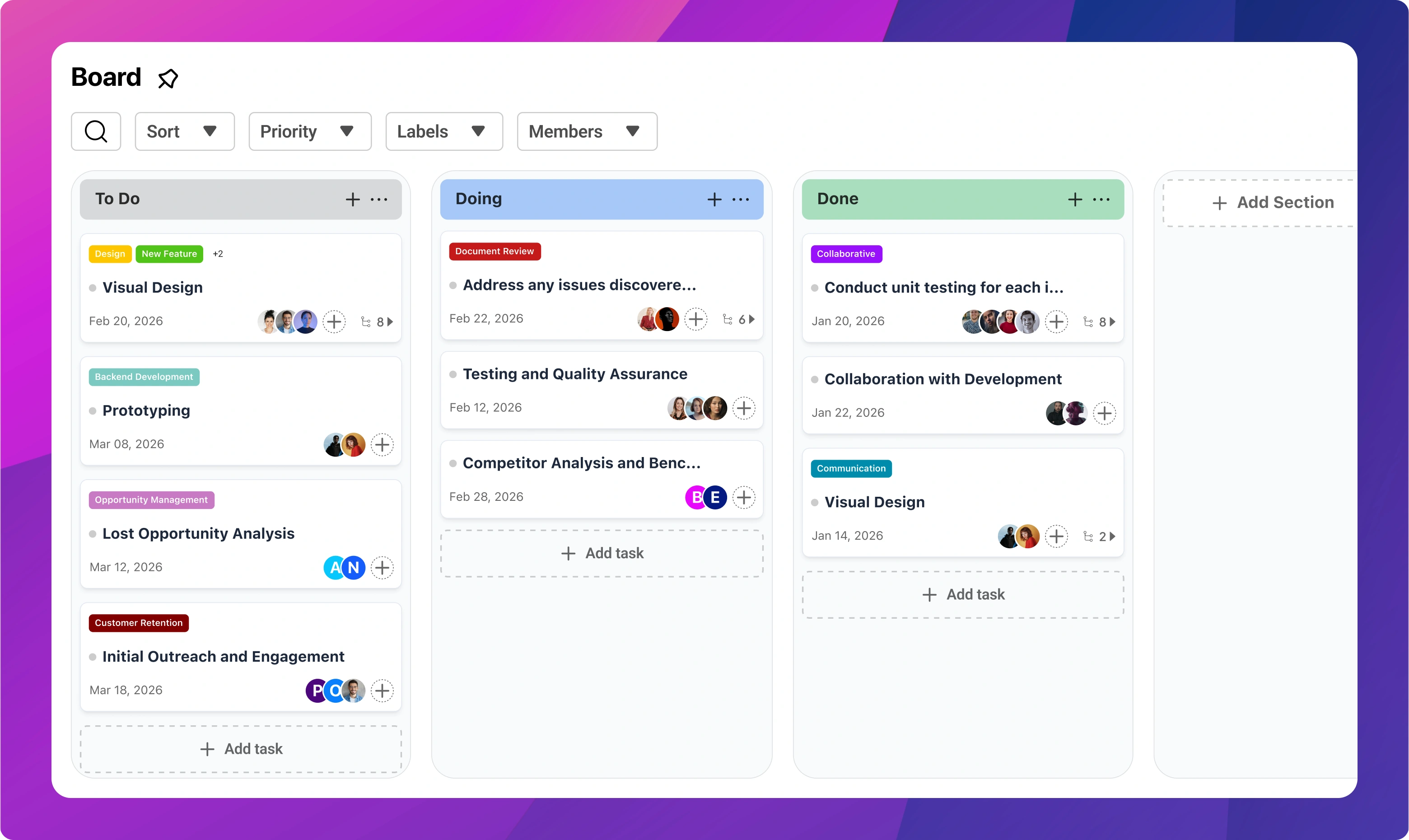
Kanban project board in Worklenz with task cards moving through workflow columns

Trusted by 11,000+ agencies and professionals worldwide

Logo GUI
Logo Kainovation
Logo Nanosoft
Logo Paymedia
Logo Incrementl
Logo Softcricket

PLAN, TRACK, DELIVER

One tool for the whole project,
not just the task list

Most project tools stop at tasks. Worklenz carries the same project through scheduling, time tracking, budgets, and client updates, so nothing has to be copied into a second system.

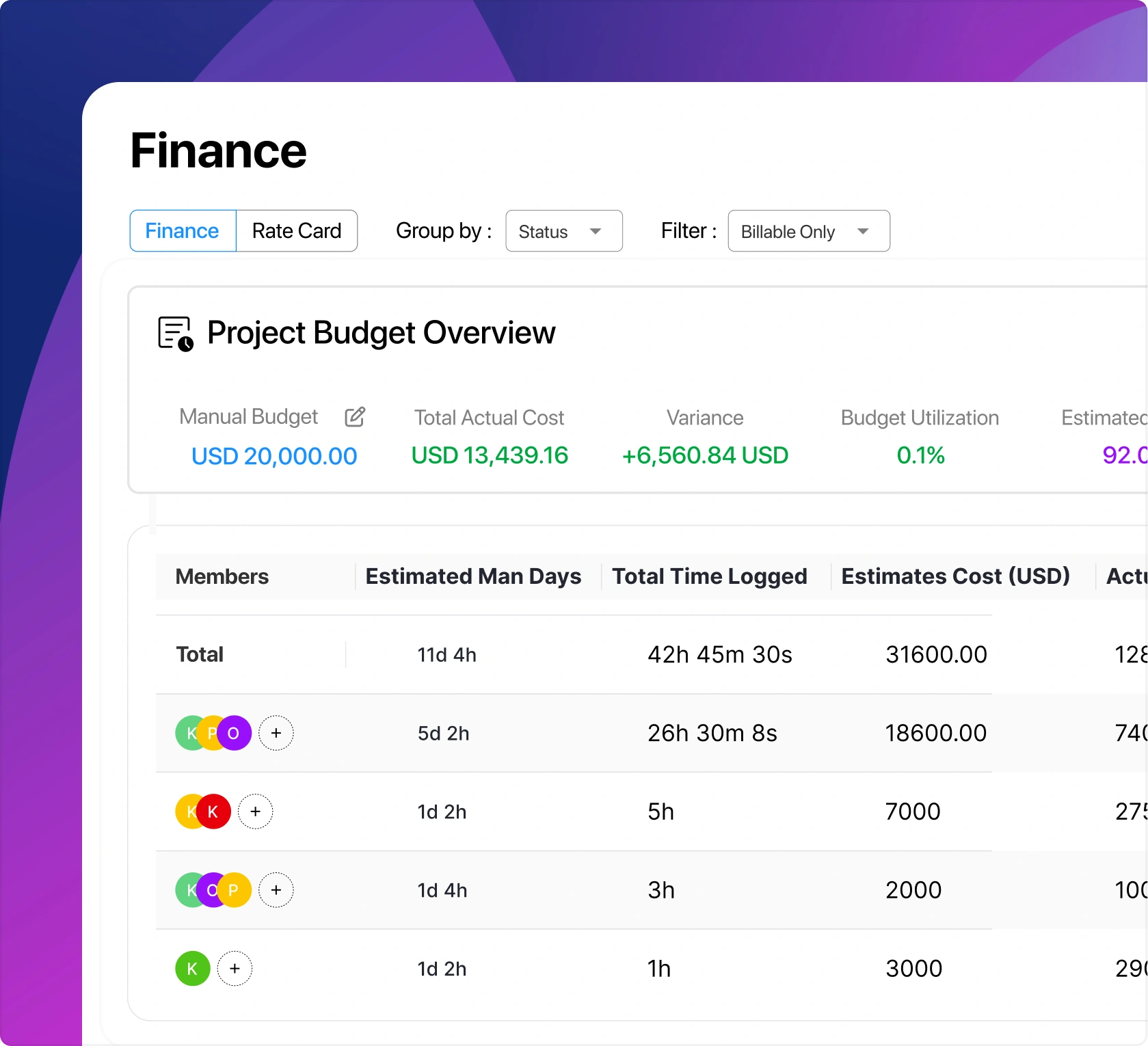
Project tracking dashboard comparing planned budget against actual project costs
Project planning

Plan projects your team can actually follow

Break work into phases, tasks, and subtasks with clear owners and due dates. Switch between board, list, and timeline views without losing anything. Start new projects from templates instead of rebuilding the same structure every time.

  • Board, list, timeline, and calendar views
  • Subtasks, dependencies, and priorities
  • Custom statuses and workflows
  • Project phases with clear milestones
  • Reusable project and task templates
Team management screen showing assignments and client project ownership
Delivery & visibility

See problems while you can still fix them

Every task carries its logged hours and costs with it. Dashboards show which projects are moving, which are stuck, and where your team's capacity is going, so surprises show up in a chart before they show up in a client call.

  • Cross-project dashboards
  • Team workload and capacity views
  • Budget vs actual tracking per project
  • One-click time tracking on tasks
  • Client portal for progress updates

11K+

Agencies

17K+

Projects delivered

180K+

Billable hours captured

Loved by agencies worldwide

See what our customers have to say about their experience with Worklenz.

"
We are working with Trello until we have discovered Worklenz. The boards is better than Trello bzz you can view % of tasks completed and also the roadmap is more attractive than others. We are waiting the new features that make possible importer boards and projects from other platforms to migrate and centralize all project's information in one site.
Martha Gomes Jimenez
5/5

Martha Gomes Jimenez

Product Manager (EdTech) and Agile Coach at The Bridge

"
Amaizing product which is very simple and easy to use. Worklenz has revolutionized our workflow. With its user-friendly interface and powerful features, task management is a breeze. Time tracking, insightful analytics, and seamless integrations make it a must-have for any team serious about productivity. Highly recommended!
Pulani Ranasinghe
5/5

Pulani Ranasinghe

Founder & Leadership at Loons Lab

"
Worklenz has revolutionized our workflow. With its user-friendly interface and powerful features, task management is a breeze. Time tracking, insightful analytics, and seamless integrations make it a must-have for any team serious about productivity. Highly recommended!
Upul Dissanayake
5/5

Upul Dissanayake

Founder and CEO at LONGWApps (Pvt) Ltd

"
This is an excellent product. We practically experienced how productivity can increase after fully integrating this with our daily task schedule
Dr. Milinda piyasena
5/5

Dr. Milinda piyasena

Senior Lecturer at Sabaragamuwa University, Sri Lanka

"
We are working with Trello until we have discovered Worklenz. The boards is better than Trello bzz you can view % of tasks completed and also the roadmap is more attractive than others. We are waiting the new features that make possible importer boards and projects from other platforms to migrate and centralize all project's information in one site.
Martha Gomes Jimenez
5/5

Martha Gomes Jimenez

Product Manager (EdTech) and Agile Coach at The Bridge

"
Amaizing product which is very simple and easy to use. Worklenz has revolutionized our workflow. With its user-friendly interface and powerful features, task management is a breeze. Time tracking, insightful analytics, and seamless integrations make it a must-have for any team serious about productivity. Highly recommended!
Pulani Ranasinghe
5/5

Pulani Ranasinghe

Founder & Leadership at Loons Lab

"
Worklenz has revolutionized our workflow. With its user-friendly interface and powerful features, task management is a breeze. Time tracking, insightful analytics, and seamless integrations make it a must-have for any team serious about productivity. Highly recommended!
Upul Dissanayake
5/5

Upul Dissanayake

Founder and CEO at LONGWApps (Pvt) Ltd

"
This is an excellent product. We practically experienced how productivity can increase after fully integrating this with our daily task schedule
Dr. Milinda piyasena
5/5

Dr. Milinda piyasena

Senior Lecturer at Sabaragamuwa University, Sri Lanka

Everything a project needs,
without the plugin shopping

Time tracking, finance, resourcing, and reporting are built into Worklenz, not sold as add-ons.

Task timer and time log inside Worklenz project management software

Time Tracking

Start a timer on any task or log hours manually. Time rolls up to the project automatically, so estimates, billing, and retrospectives all use the same numbers.

Project finance report with budget, cost, and margin figures

Project Finance

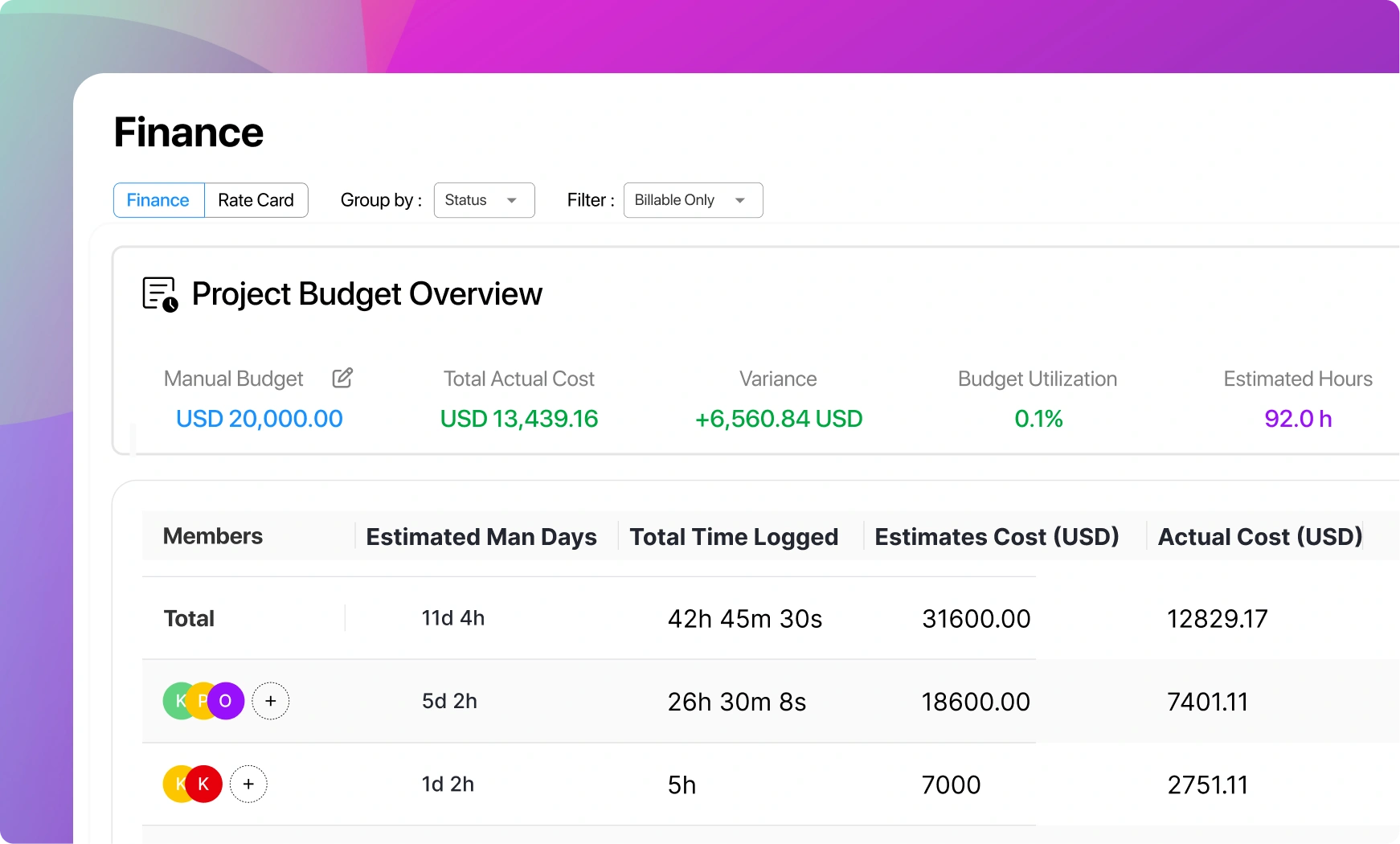
Set a budget per project and watch actuals accumulate as the team logs time. You can tell whether a project is profitable while it is running, not after it closes.

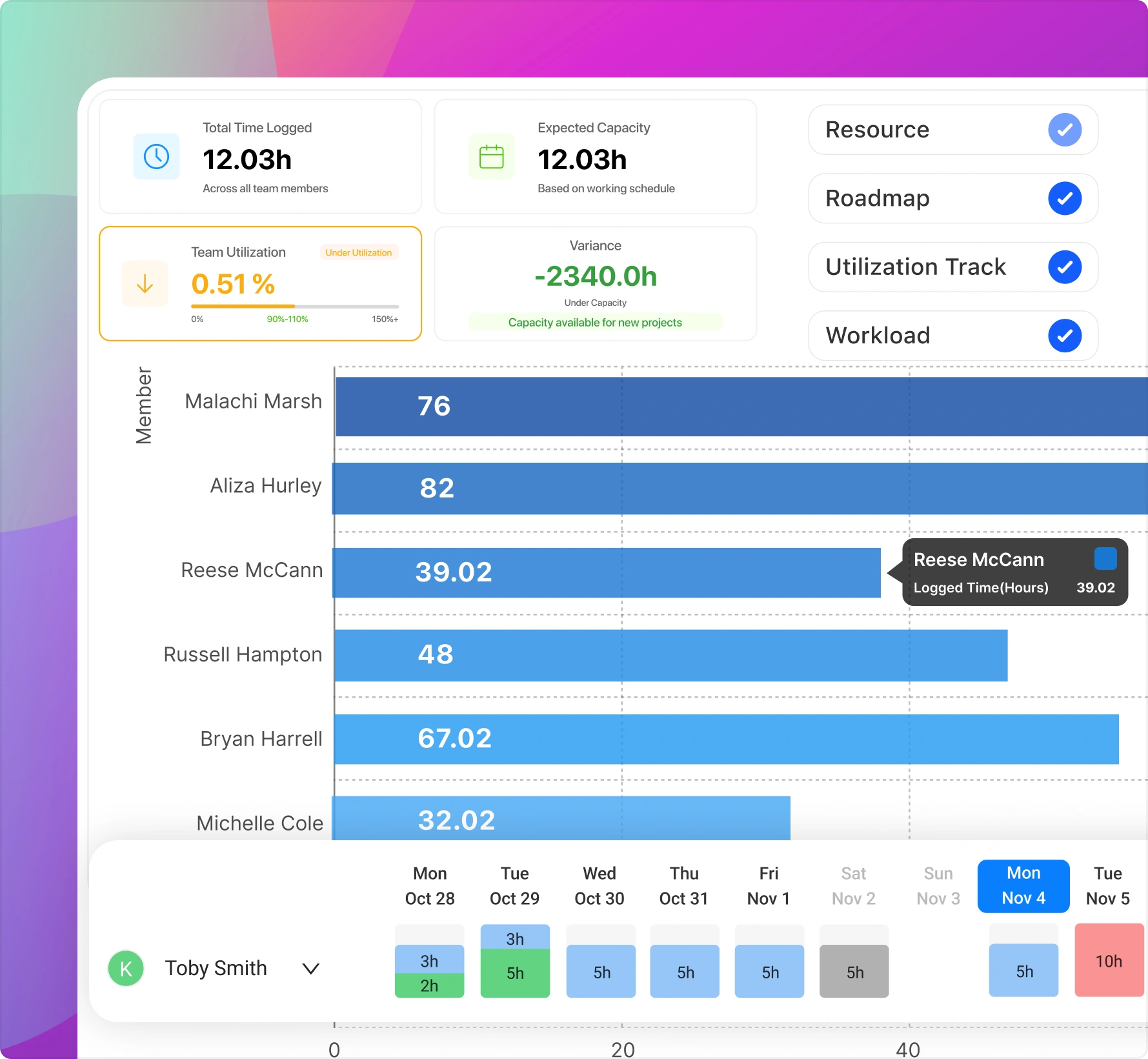
Resource planning calendar showing team allocation across projects

Resource Planning

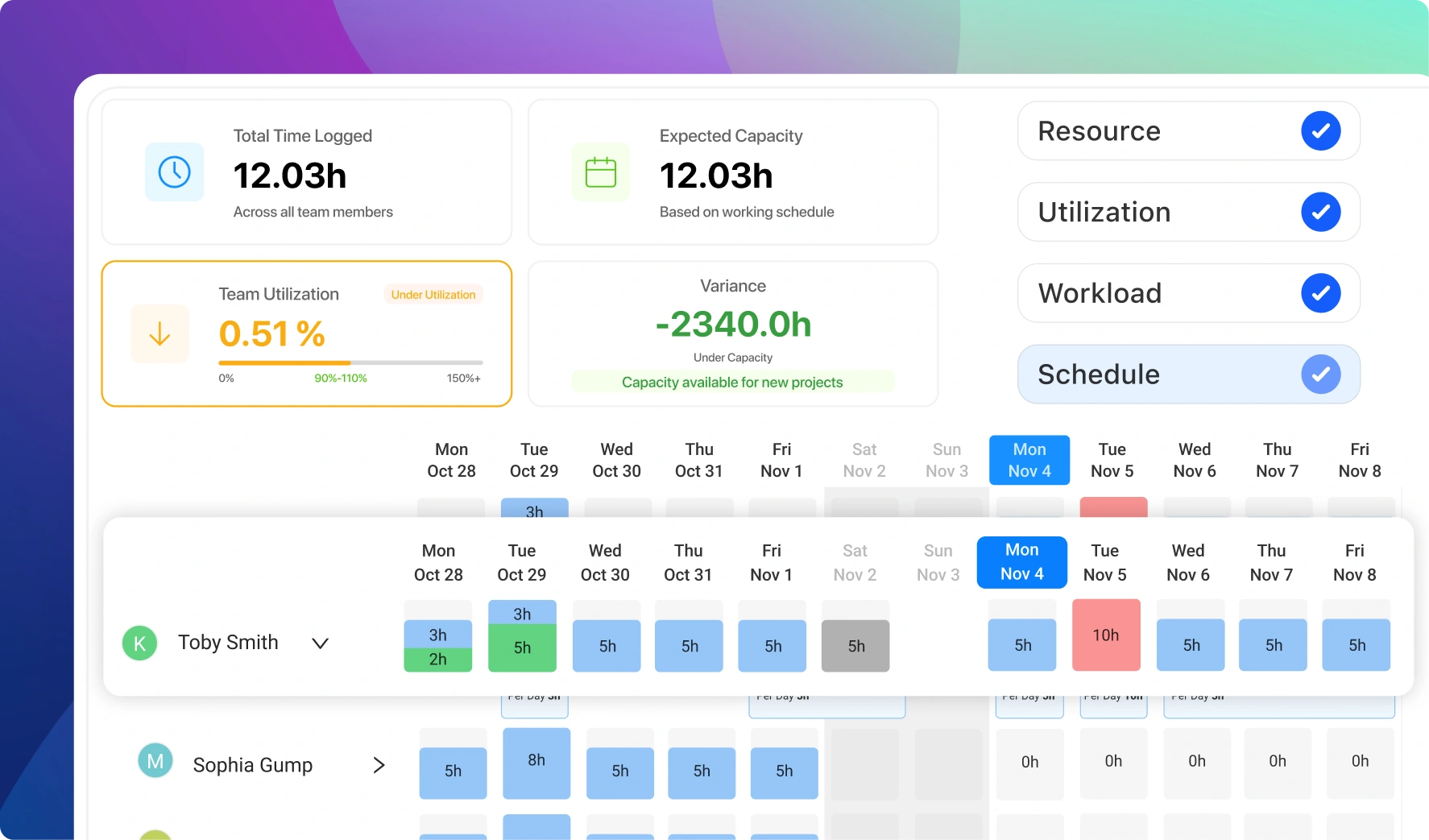
Assign work based on real availability. The scheduler shows who is overloaded and who has room, across every active project at once.

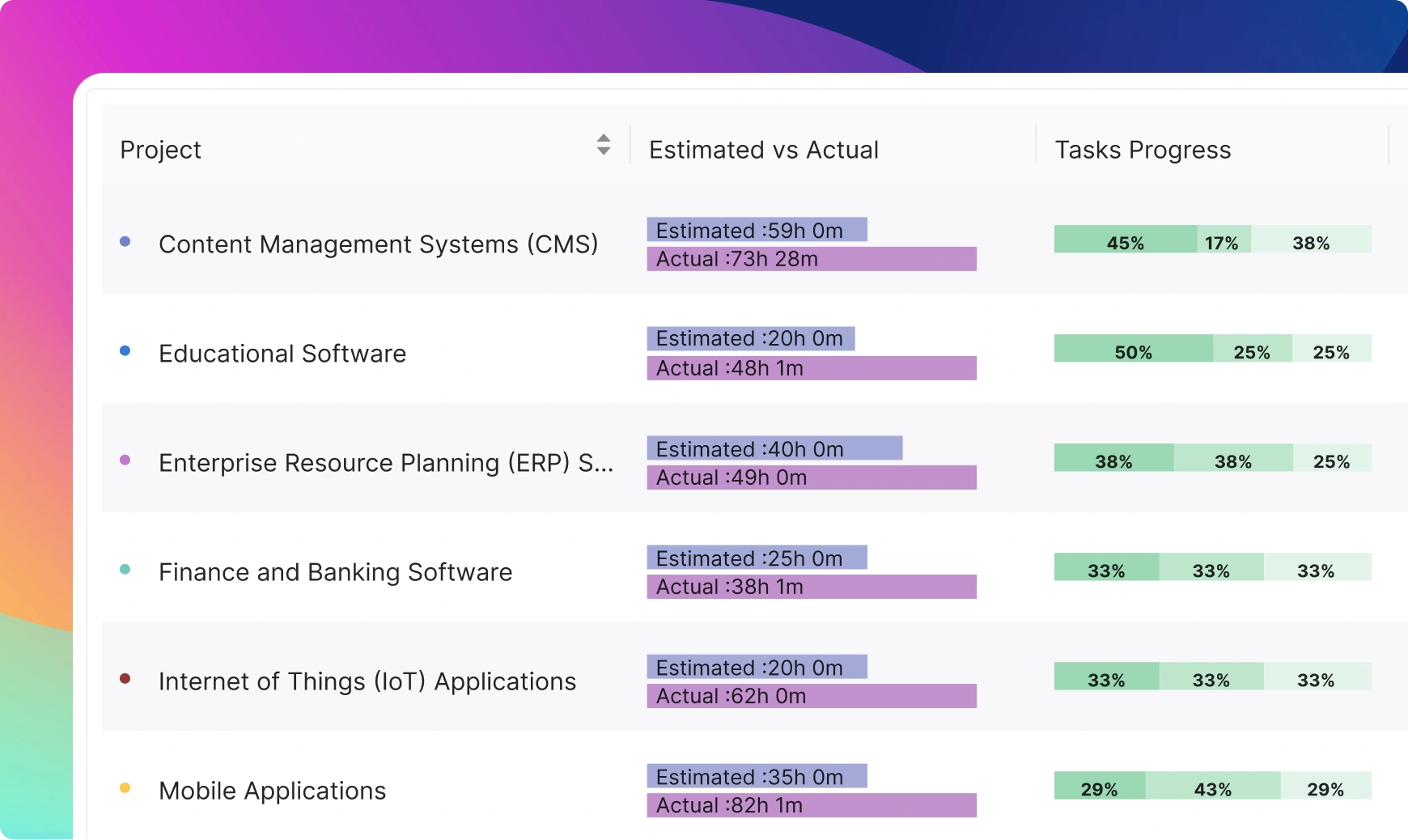
Reporting dashboard with project KPIs and progress charts

Reporting & Dashboards

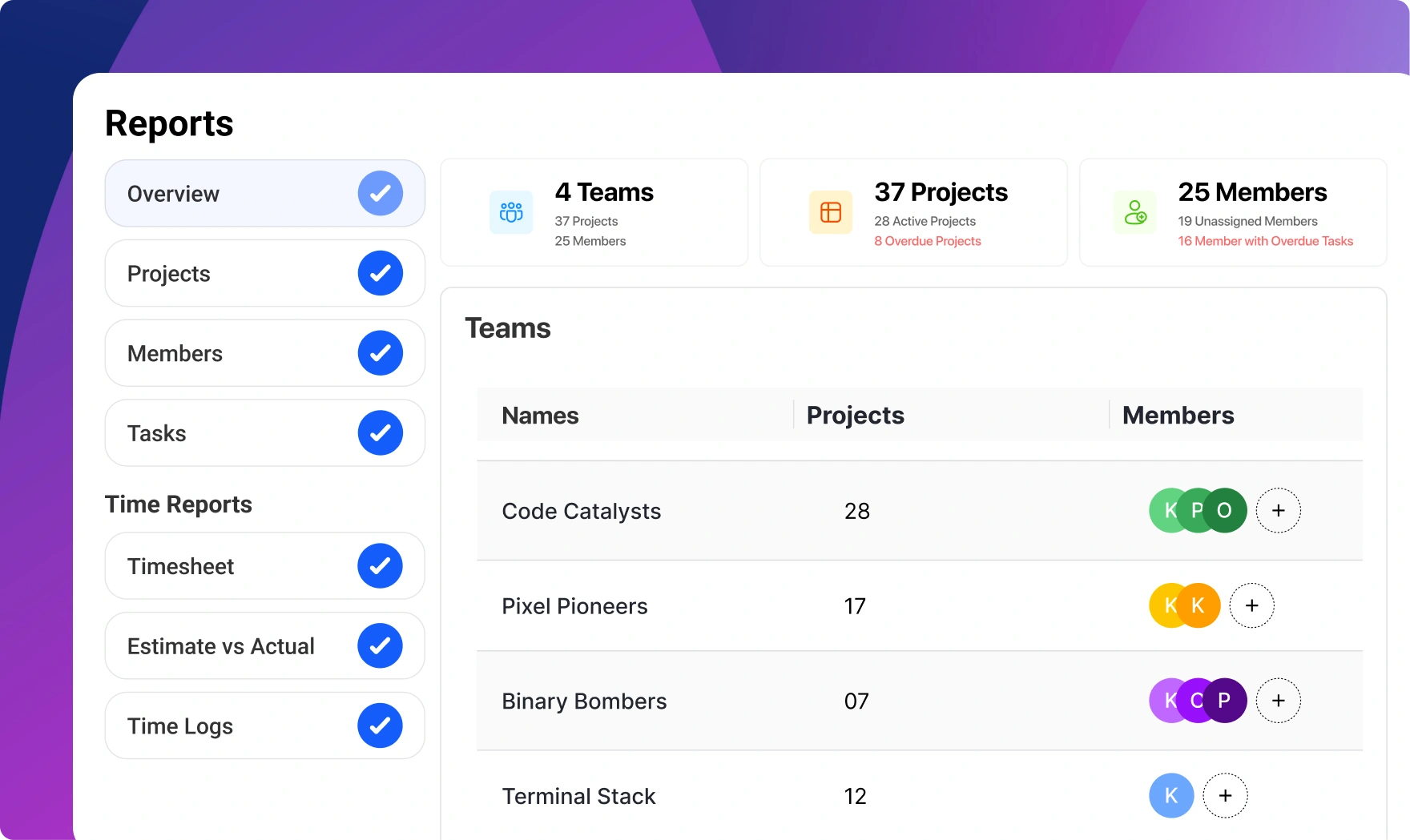
Progress, hours, and costs in one view per project or across the whole workspace. Export reports for stakeholders who want the summary, not a login.

Built-in features most tools charge extra for


Resource scheduler

Resource scheduler

Plan assignments weeks ahead with a clear view of everyone's capacity.

Invoice & billing

Invoice & billing

Turn tracked time and project data into invoices without exporting to another tool.

File management

File management

Attach files to tasks and projects so the latest version is where the work is.

Templates

Templates

Save any project structure as a template and reuse it for the next one.

Phases

Phases

Group tasks into phases so long projects read as a roadmap, not a wall of tasks.

Daily digest

Daily digest

A summary of what changed, delivered when you want it, instead of constant pings.

What is project management software?

Project management software is a tool for planning work, assigning it to people, and tracking it to completion. At minimum that means tasks, due dates, and some way to see status at a glance. In practice, teams also need the layers around the tasks: how long work takes, what it costs, who has capacity, and what to tell the client or stakeholder who is paying for it.

That second layer is where tools differ most. Task-only tools like Trello handle the board and stop there. Suites like monday.com, ClickUp, and Asana add views and automation but charge per user, and features like time tracking or workload views usually sit in their higher tiers. Capterra's buyer research puts typical budgets at $20 to $40 per user per month, which adds up quickly for a 15-person team.

Worklenz takes a different position: the full stack of project delivery, including time tracking, budgets, resource scheduling, and invoicing, in one open-source platform with a free plan for unlimited users.

How to choose a project management tool

Start with the work you bill or budget for. If projects have deadlines but no financial dimension, most task tools will do. If hours translate to money, pick a tool where time tracking is native, because bolting on a separate time tracker means reconciling two systems forever.

Then check the limits behind the pricing page. Free plans commonly cap users, hide Gantt or timeline views, or exclude reporting. Worklenz's free cloud plan includes unlimited users with up to 3 active projects, and the open-source Community edition removes the project cap entirely when you self-host.

Finally, consider where your data lives. Worklenz is licensed under AGPL-3.0 with the source on GitHub, so teams with strict data requirements can run it on their own infrastructure with Docker instead of trusting another vendor's cloud.

Why teams pick Worklenz

Worklenz was built for teams that deliver projects to clients: agencies, consultancies, software teams, and engineering firms. That focus shows in the defaults. Every task can carry billable time. Every project has a budget view. Clients get a portal with real progress instead of a weekly status email.

The platform is a React and TypeScript application backed by PostgreSQL, actively developed in the open at github.com/Worklenz/worklenz. You can start on the free cloud plan today and move to self-hosted later, or the other way around, because it is the same product either way.

Worklenz vs typical per-seat project tools

A quick comparison against the pattern you see in mainstream per-user tools such as monday.com, Asana, and ClickUp.

Worklenz Typical per-seat tools
Pricing model Free plan, unlimited users; Pro from $69/mo flat for 15 users $9-$25+ per user per month
Time tracking Built in on every plan Higher tiers or third-party add-on
Project budgets & profitability Built in Rare; usually needs integrations
Invoicing Built in Not included
Client portal Built in Guest seats, often paid
Open source / self-host AGPL-3.0, Docker self-hosting Proprietary, cloud only

Competitor details reflect published pricing pages as of mid-2026 and vary by plan.

Frequently asked questions

Common questions about Worklenz as project management software

1

Is Worklenz really free?

Yes. The free cloud plan includes unlimited users and up to 3 active projects, with no credit card required. Paid cloud plans start at $9.99 per user per month for small teams, or $69 per month flat for up to 15 users. The self-hosted Community edition is free with unlimited users and no project cap.

2

What project views does Worklenz support?

Board (Kanban), list, timeline (Gantt-style), and calendar views, with subtasks, dependencies, priorities, labels, and custom statuses available in each. You can switch views without reorganising the work.

3

Does Worklenz include time tracking and invoicing?

Yes, both are native features. Start and stop timers on tasks or log time manually, then generate invoices from tracked time and project data without exporting to a separate billing tool.

4

Can Worklenz replace tools like monday.com, Asana, or ClickUp?

For most teams, yes. Worklenz covers the same core planning features (boards, timelines, templates, automated workflows) and adds budgets, invoicing, and a client portal that those tools do not include. Teams that rely on a specific integration should verify it first, since the Worklenz integration catalogue is still growing.

5

Is Worklenz open source, and can I self-host it?

Yes. Worklenz is licensed under AGPL-3.0 with the full source code on GitHub. You can self-host it with Docker; the Community edition is free with unlimited users, and paid self-hosted plans add support, SSO, and advanced reporting.

6

Who is Worklenz best suited for?

Teams that deliver projects to clients and care about the hours and money behind the work: agencies, consultancies, software and IT teams, and architecture or engineering firms. If you only need a personal to-do list, it is more than you need.

Related solutions

Your agency's growth

starts with better management


Join 11,000+ agencies for tracking time, managing budgets, and delivering profitable projects -
all in one free, open-source platform.