
How to Run Your Hiring Process as a Project
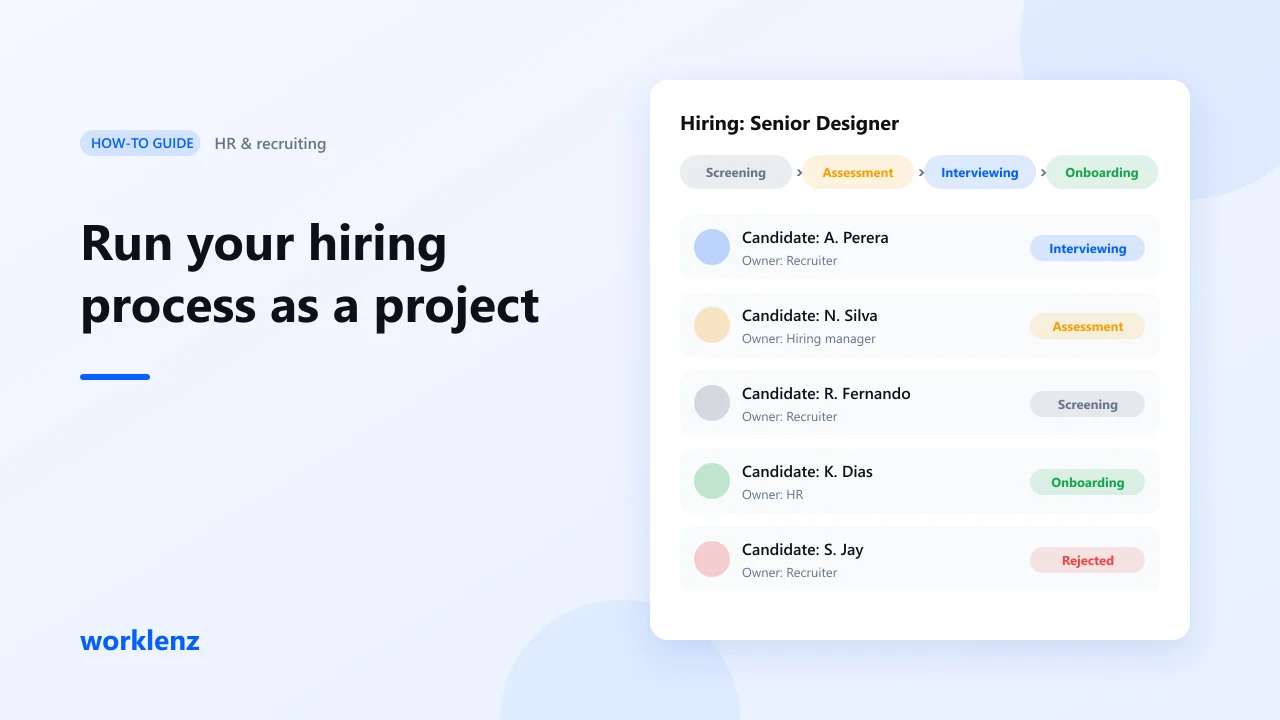
To run hiring without dropped candidates, treat each open role as a project: phases, an owner for every step, due dates and a clear stage for each candidate. Worklenz has a built-in HR & Recruiting template that gives you that structure on day one, on the Free plan. Checking interviewer workload needs Pro.
Why hiring needs a plan
Every open role is a gap in your team’s capacity. The longer it stays open, the more work lands on everyone else. Hiring stalls for boring reasons: nobody owns the next step, interview feedback sits in someone’s inbox, or two people do all the interviews and fall behind on their real work.
What you’ll set up
| Step | Worklenz feature |
|---|---|
| 1. Create the project | HR & Recruiting template |
| 2. Define the role | First task, priority |
| 3. Give every step an owner | Assignees, due dates |
| 4. Track candidate stages | Labels, Board |
| 5. Protect interviewers’ time | Estimates, Workload tab |
| 6. Review and close | Final phase, task comments |
Step 1: Create the project from the template
Go to Projects → Create Project, open the templates and pick HR & Recruiting. The preview shows what you get:
- Phases: Initiation, Planning, Execution, Control and Close
- Statuses: To Do, Doing, Done
- Priorities: Critical, High, Medium, Low
- Labels: Screening, Assessment, Interviewing, Pending, Rejected, Onboarding
- Sample tasks that cover the process from start to finish
Click Use this template. Everything is editable afterwards: rename phases, add labels, delete tasks you don’t need.
Tip: create one project per role (“Hiring: Senior Designer”) so each role has its own owner, timeline and status.
Step 2: Define the role first
The first task is to define the position, responsibilities and requirements. Don’t rush it. A vague description brings the wrong candidates and wastes interview time.
Assign it to the hiring manager. If the role is blocking client work, set the priority to Critical or High.
Step 3: Give every step an owner and a date
Hiring slows down when nobody knows whose turn it is. A typical split:
| Task | Owner |
|---|---|
| Reach out to candidates through job boards and referrals | Recruiter |
| Schedule and run interviews with the shortlist | Recruiter + interviewers |
| Contact references | Recruiter or HR |
| Collect feedback from interviewers | Hiring manager |
| Document the feedback for next time | HR |
Add a due date to each task. Now the whole process has a visible timeline, and anyone can see what’s late.
Step 4: Track candidate stages with labels
The template’s labels map to the hiring journey: Screening → Assessment → Interviewing → Pending → Onboarding, or Rejected.
Create a task per shortlisted candidate (for example, “Candidate: A. Perera”) under the interview phase and move the label as they progress. Combine labels with the Board view and you can answer “where are we with this person?” without a meeting.
Keep personal details, such as CVs and phone numbers, in your HR system or applicant tracker. Use Worklenz for the process, not as a candidate database.
Step 5: Spread interviews fairly with the Workload tab
Interviewers are your existing team, and every interview takes time from client work. Add an estimate to each interview task (for example, 1.5 hours including notes), then open the Workload tab.
The Table View shows each person’s capacity, allocated hours and utilization. If one person is far above the rest, move interviews before you send calendar invites.
Example: 19 hours of interviews this week. If one interviewer carries 12 hours and the other two carry 4 and 3, the first person’s projects will slip. Spread it to about 6–7 hours each and nobody is overloaded.
Step 6: Review, document and close
In the Close phase, collect and write down feedback: which channels brought good candidates, which questions worked and where the process slowed. Add it as comments on the documentation task so it’s there for the next hire.
When the new hire has started and onboarding is under way, move the remaining tasks to Done and archive the project. Save it as your own template (Pro) if your process differs from the built-in one.
Common mistakes
- No owner for “collect feedback”. It’s the step that stalls most often.
- Counting interviews, not hours. Use estimates so the Workload tab shows the real load.
- Storing candidate personal data in tasks. Keep it in your HR system.
Checklist
- Role defined before outreach starts
- Every task has an owner and a due date
- Priorities set so urgent roles come first
- Candidate labels updated as people move stages
- Interviewer workload checked before scheduling
- Feedback documented for next time
FAQ
Is Worklenz an applicant tracking system?
Can I change the template?
Is the HR & Recruiting template free?
Open your next role as a project.
And pick the HR & Recruiting template.
Create a free Worklenz accountRelated: HR & Recruiting template · Resource management · How to spot overloaded team members