
Client Portal Software: The Complete Guide for Agencies in 2026
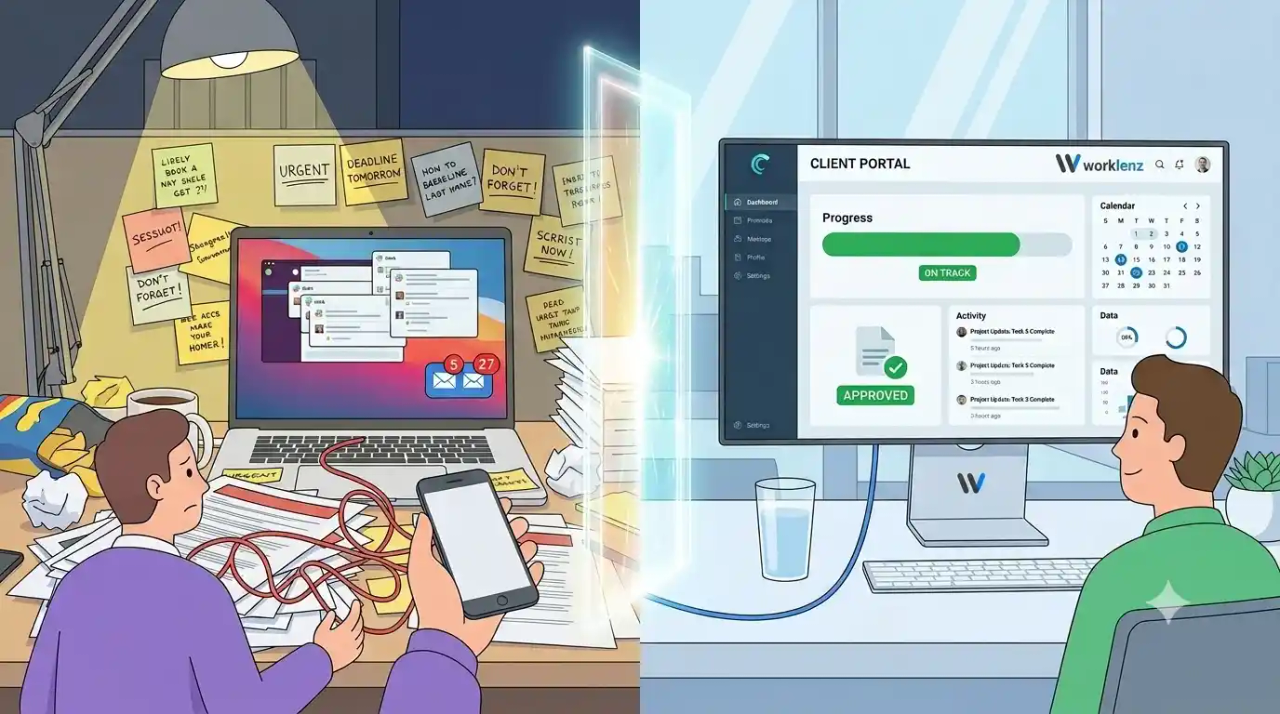
The Hidden Cost of “Just Checking In”
Nobody bills for the five-minute Slack message that says “hey, just checking on the homepage mockups.” Nobody bills for re-sending a PDF because the client can’t find the version from last Tuesday, or for the fifteen-minute call that exists only to say “yep, still on track.” Individually, none of it looks like a problem. Added up across a client roster, it’s a second, invisible job your team does for free.
Agencies that track this closely tend to land somewhere between five and ten hours per client per month on manual status updates, file re-sends, and “just checking in” replies, before counting the ad hoc interruptions that never make it onto a timesheet at all. A project manager fielding four or five active accounts can lose the better part of a full workday every week to conversations that produce no billable output.
The retention risk is arguably worse than the time cost. When clients have to ask for updates instead of simply knowing where things stand, they read that as disorganization, even when the underlying work is going fine. Agencies that rely on ad hoc, one-off updates tend to see clients drift and churn at a noticeably higher rate than agencies running on a predictable, structured cadence. This shows up hardest at smaller shops: a 15-person agency juggling twenty client relationships across email threads, shared drives, and whatever tool each account manager happens to prefer has no consistent system a client can rely on, so every project gets communicated differently, and clients notice.
A client portal is the structural fix for both problems at once. It cuts down on the manual updating, and it gives clients a place to look before they feel the need to ask.
What Is Client Portal Software, Exactly?
A client portal is a login-protected, branded space where a client can check on their own project (status, files, approvals, invoices) and see nothing that belongs to anyone else on your roster. That last part is what actually separates it from email, Slack, or a shared Google Drive folder: those tools were built for internal collaboration first, and letting an outside party self-serve information was never part of the design. You can grant a client access to a shared folder, but you can’t stop them from seeing a sibling client’s files sitting one directory over, or a stray internal comment that was never meant to leave the team.
The cleanest way to think about a portal is as a front door. The actual work, the tasks, the time entries, the file versions, the payment processing, still happens in whatever system your team already uses. The portal is just the entrance clients are allowed to walk through, showing them a curated view of a house they don’t have full access to.
Why Agencies Actually Need One
- Status visibility without a meeting. A client can open the portal at 9pm on a Sunday and see that the wireframes are done and the copy is in review, with no email required and no waiting on a reply.
- Deliverable approvals with a timestamp. Instead of an ambiguous “looks good, thanks!” buried in an email thread, you get a discrete approval event tied to a specific file version and a specific date. That record matters the first time a client insists they never signed off on something.
- Feedback that stays attached to the work. A comment left directly on a task or a file doesn’t get lost the way it does when it’s split across three tools: a Slack message here, an email reply there, a voice memo nobody transcribes.
- A paper trail on scope. When someone on the client side asks, “can we just tack this on real quick?”, you have a documented record of what was actually agreed to, rather than a fuzzy memory of a call from six weeks ago.
- A professional first impression. A branded portal signals that a client is working with an agency that has real operational maturity behind it, a different impression entirely than a forwarded Google Doc with a dozen tracked-changes bubbles down the side.
Key Features to Look For in 2026
Not every portal on the market does the same job well. Here’s what actually matters when you’re evaluating one:
- True branded access. Your colors, your logo, and ideally a custom domain (portal.youragency.com) instead of a URL that broadcasts the vendor’s name to your client.
- Granular, per-client permissions. You need to be able to hide internal time tracking, internal-only tasks, and anything with rough working notes on a per-account basis, not as an all-or-nothing setting.
- File review and approval without email attachments. Clients should be able to upload, comment on, and formally sign off on deliverables inside the portal, with version history intact.
- An activity feed that does the notifying for you. If your team has to manually message every client every time something moves, the portal hasn’t actually saved anyone time. It’s just added a second inbox to check.
- Real security fundamentals. Two-factor authentication as a baseline, and single sign-on for larger enterprise clients whose IT departments will ask about it. A portal that can’t plug into how your delivery tool actually works becomes one more manual update to maintain, not less.
- AI-assisted search, which has become a genuinely useful 2026-era addition. Instead of a client messaging your team to ask “where are we on the Q3 deliverables again?”, they can search the portal directly and get an answer pulled from the project history itself.
Two Types of Client Portals
There’s one distinction that matters more than any feature checklist when you’re actually choosing between products:
1. Project management tools with client access bolted on. These platforms were designed for your internal team first. Clients get invited in as a limited “guest” role, looking at a stripped-down version of the same board your staff works from: the same tasks, the same status labels, and occasionally more internal shorthand than you’d want a client to see (something like “blocked, waiting on Dave,” for instance).
2. Purpose-built client portals. These are structured around the client account itself, not the internal project board. They’re built from the ground up for an outside audience, so the client logs in and sees a home built specifically for them: their files, their invoices, their approvals, with no internal furniture in the way.
In practice, most agencies past a certain size end up running some version of both: an internal system the team actually works inside, with a simplified client-facing layer sitting on top. The friction shows up when those two systems don’t stay in sync, when a task gets renamed internally and the client-facing label doesn’t update, or a file gets replaced in one tool but not the other. That’s the real argument for a portal that’s built into the same platform your team already uses for delivery, rather than a fully separate product that someone has to manually keep in step.
How to Evaluate Your Options
Before you get pulled into a feature-by-feature comparison, run through these questions first:
- Will clients actually use it? A portal only earns its keep if it replaces behavior clients are already doing: checking status, requesting a file, approving a deliverable. If they’ll email you regardless, it becomes a login nobody bothers with after week two.
- Is this solving a real bottleneck, or dressing one up? A portal sits downstream of delivery. If the actual problem is an inconsistent workflow or scope that was never clearly defined, a portal won’t fix that. It’ll just give the same problem a nicer interface.
- Does it meet your clients’ actual security bar? Enterprise clients will often ask about 2FA, SSO, and sometimes data residency before agreeing to log in at all. Confirm this before you commit, not after their IT team flags it.
- Does the setup time match your team’s size? A five-person shop doesn’t have the bandwidth for three weeks of permission-structure configuration. A fifty-person agency can usually absorb that cost, and it pays off.
- Does the pricing model scale with your client roster? Per-seat pricing gets expensive fast once your client count outgrows your headcount, which happens quickly in agency work. Flat or unlimited-client pricing tends to hold up better as you grow.
Rollout Best Practices
- Pilot with one client, not all of them. Work out your permission structure and update cadence on a single, forgiving account before rolling it out agency-wide.
- Give clients a reason to log in on day one. Deliver the first file or request the first approval through the portal instead of email. That’s how the habit actually starts, not through an announcement, but through the first real interaction happening there.
- Don’t run two systems in parallel for too long. If you keep sending status updates over email “just in case,” clients will never build the habit of checking the portal. Why would they, when the update always shows up in their inbox anyway?
- Set the expectation at kickoff. A five-minute walkthrough during onboarding heads off weeks of “how do I find the invoice” questions later.
The Bottom Line
A client portal removes the single largest source of unbilled, invisible work most agencies are quietly absorbing, but it’s not a fix for a shaky delivery process or an undefined pipeline. It organizes the problem you already have; it doesn’t solve a different one.
Heading into 2026, the agencies getting the most out of portals are the ones choosing a tool that’s already wired into where their project data actually lives, rather than standing up a third, disconnected system that needs its own upkeep. Worklenz’s client portal is built directly into the same platform your team already uses to manage tasks, time, and projects, so client-facing updates stay in sync with the real work automatically, without a second tool to maintain.
Ready to Give Your Clients a Better Way to Stay Updated?
See how Worklenz’s built-in client portal works against your real projects. Setup takes minutes, and the free plan makes it easy to pilot with a single client before rolling it out agency-wide.