
Best Project Management Software for Architects 2027
Architecture and engineering practices have a business model most software ignores. Fees are set by phase. Profit disappears quietly during design development. Your best people are booked on three projects at once. And clients want to know where the drawings are.
So the right tool needs phases with budgets, time logged against them, staff planning across projects, and a clear way to keep clients informed. We compared ten options. Pricing was checked on vendor sites on 19 November 2026; several AEC vendors don’t publish prices, and we say so. We make Worklenz, which is on the list for smaller practices.
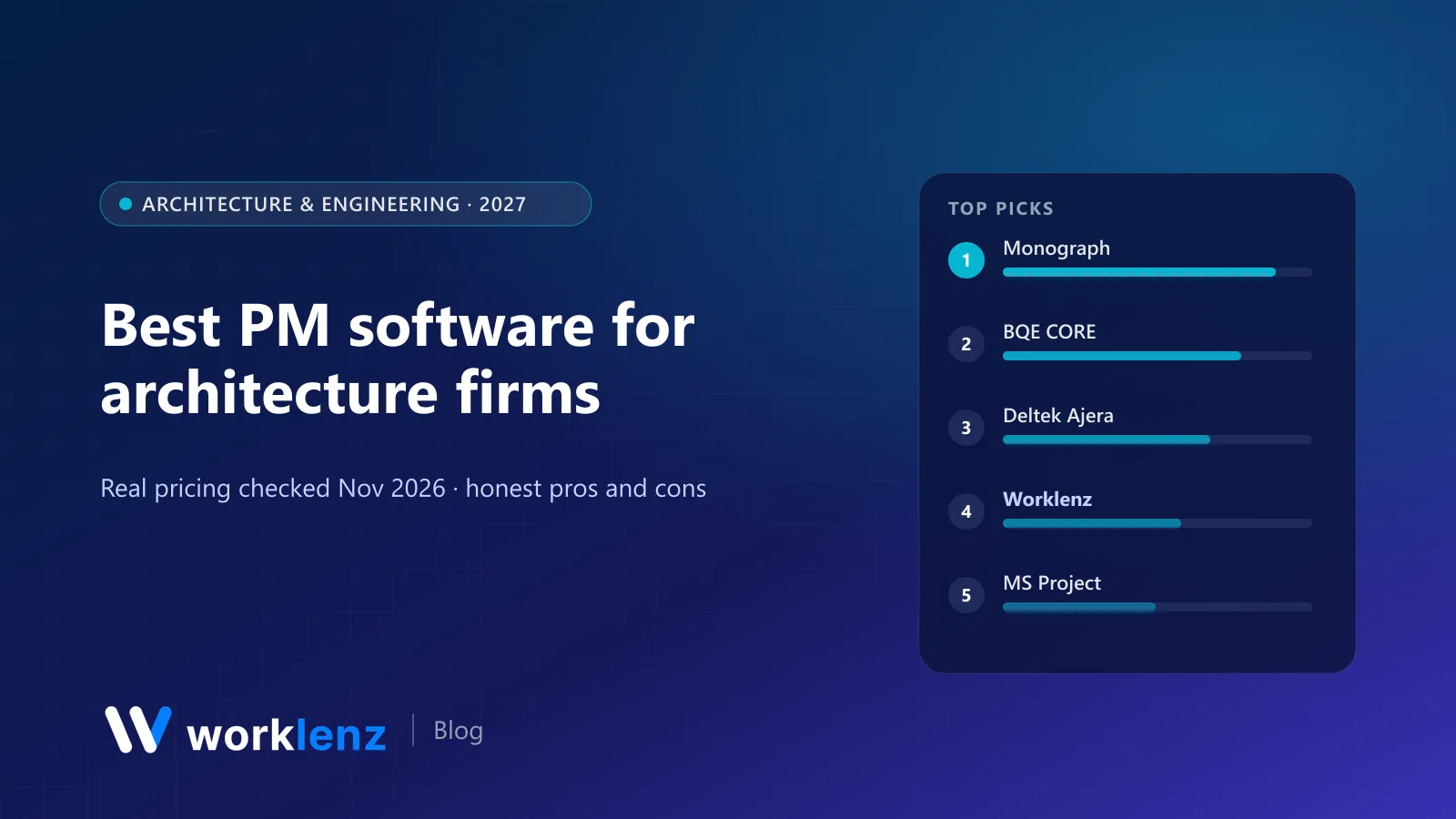
Quick picks
- Best architecture-specific tool: Monograph
- Best PM plus accounting for AEC: BQE CORE
- Best for established firms on Deltek: Deltek Ajera
- Best value for small and mid-size practices: Worklenz
- Best for detailed construction schedules: Microsoft Planner and Project
- Best spreadsheet-style planning: Smartsheet
- Best free, self-hosted scheduling: OpenProject
Comparison table
| Tool | Built for AEC? | Pricing | Phase budgets | Time tracking | Staff planning |
|---|---|---|---|---|---|
 Monograph |
Yes | $45–$490/mo (demo-led) | Yes | Yes | Yes |
 BQE CORE |
Yes | Quote only | Yes | Yes | Yes |
 Deltek Ajera |
Yes | Not published | Yes | Yes | Yes |
 Worklenz |
No (project services) | $6–$10/user | Phases plus project finance (Business) | Pro | Workload, scheduler |
 Microsoft Planner/Project |
No | ~$10–$30/user | Via configuration | Limited | Plan 3 resource requests |
 Smartsheet |
No | $9–$19/member | Via sheets | Not native | Business workload |
 OpenProject |
No | Free self-hosted | Budgets | Yes | Team planner |
 Productive |
No (agency PSA) | ~$10–$29/user | Yes | Yes | Yes |
 Wrike |
No | $10–$25/user | Pinnacle | Pinnacle | Pinnacle |
 Basecamp |
No | $29–$199/mo flat | No | Basic | No |
Which tool for which practice
| Your practice | Start with |
|---|---|
| 2–8 person studio | Worklenz Pro or Monograph |
| 10–40 person practice, fee-focused | Monograph or Worklenz Business |
| Firm that wants accounting in the same system | BQE CORE or Deltek Ajera |
| Engineering firm with complex programmes | Microsoft Planner and Project, or OpenProject |
| Practice run in spreadsheets today | Smartsheet |
The 10 best tools for architecture firms
1. Monograph
Monograph was built by architects for architects. Projects are set up by phase with fees, staff plans and time tracking, and its views make it obvious when a phase is burning faster than planned. Its pricing page shows a range of $45 to $490 a month in its ROI calculator and sign-up is demo-led; the Pipeline module is an add-on.
Pick it if: you’re an architecture practice and want software that speaks your language. Skip it if: you also need full accounting in the same system.
2. BQE CORE
BQE CORE combines project management, time and expense, billing and optional accounting, HR and payroll modules, and is widely used by AEC firms. Pricing is per user but quote-based; BQE’s pricing page asks you to request a quote.
Pick it if: you want PM, billing and accounting from one AEC-focused vendor. Skip it if: you want self-serve pricing.
3. Deltek Ajera
Ajera is Deltek’s project-based accounting and PM product for small and mid-size AEC firms. It’s established and accountant-friendly, with pricing handled by sales.
Pick it if: your finance team wants AEC project accounting. Skip it if: your project managers want a modern day-to-day tool.
4. Worklenz
For practices of roughly 3 to 50 people, Worklenz covers the core loop at a much lower price. Projects are organised into phases (SD, DD, CD, CA, or your own), with templates so every project starts the same way. Staff log time to tasks in each phase, workload and the scheduler show who’s booked across projects, the Gantt view shows the programme, and the client portal keeps clients informed without long email threads.
Pro ($6 a user annually) includes time tracking, timesheets, workload, read-only Gantt and scheduler, client portal and invoices. Business ($10) adds project finance for budget tracking, billable work reports, and full Gantt and scheduler editing.
Strengths: phases, hours and staff planning for $6–10; client portal included. Limitations: doesn’t calculate fees as a percentage of construction cost or handle consultant fee pass-through like AEC tools; not an accounting system.
Pick it if: you want phases, hours and staff planning without AEC enterprise pricing. Skip it if: you need AEC project accounting.
See Worklenz for architecture and engineering.
5. Microsoft Planner and Project
For detailed construction-phase programmes with dependencies, lead and lag and critical path, Microsoft’s tools are still common. Planner Plan 1 is about $10 a user; Planner and Project Plan 3 about $30.
Pick it if: you need a detailed construction programme. Skip it if: you need fees and utilisation.
6. Smartsheet
Smartsheet’s grid suits teams that already plan in Excel, with Gantt on Pro ($9) and workload on Business ($19, 3+ members).
Pick it if: your project data lives in spreadsheets today. Skip it if: you want time tracking built in.
7. OpenProject
OpenProject’s free Community edition (GPL-3.0) offers Gantt charts, baselines, time and cost tracking and budgets, and is popular with European engineering firms that prefer to self-host.
Pick it if: you want strong scheduling at no licence cost. Skip it if: you can’t run a server.
8. Productive
Productive isn’t AEC-specific, but its budgets, rate cards, resource planning and profitability reports map well to design studios that think like agencies.
Pick it if: you run your practice like a design agency. Skip it if: you need AEC phase conventions out of the box.
9. Wrike
Wrike handles structured approvals and Gantt planning well, but time tracking, budgets and resource planning are on Pinnacle (quote).
Pick it if: you’re a larger firm already using Wrike. Skip it if: you need practice finance on a budget.
10. Basecamp
Basecamp keeps client and consultant communication calm with message boards, files and to-dos at a flat price. It doesn’t do phases, budgets or staff planning.
Pick it if: communication is your main problem. Skip it if: you need to see project profitability.
A phase budget, worked through
Say a project has a total fee of $120,000 and your practice splits fees across phases like this:
| Phase | Share | Fee | Hours budget at $120/hr blended rate |
|---|---|---|---|
| Schematic design | 15% | $18,000 | 150 |
| Design development | 20% | $24,000 | 200 |
| Construction documents | 40% | $48,000 | 400 |
| Bidding | 5% | $6,000 | 50 |
| Construction administration | 20% | $24,000 | 200 |
If design development reaches 160 logged hours but the team says it’s only 60% complete, you’re heading for roughly 265 hours against a 200-hour budget. That’s the conversation to have now, not at the end of the phase. Any tool that shows hours against phase budgets weekly makes this visible.
Setting up phases that protect your fee
- Use a standard phase template for every project, with a fee and hour budget per phase.
- Log time to the phase, not just the project. Overruns hide in “the project” and show up in “DD”.
- Review burn weekly. At 60% of the phase fee, check percent complete honestly.
- Track additional services separately so change orders are billable, not absorbed.
- Plan staff across projects so your project architect isn’t double-booked when CDs are due.
Questions to ask in an AEC software demo
- Can we set fee budgets by phase and see hours and cost against each?
- How are consultant fees and reimbursables handled?
- Can we plan staff across all projects for the next eight weeks?
- What does the client see, and what stays internal?
- How does billing work: percent complete, hourly, fixed fee by phase?
- What does it cost for our headcount, including onboarding?
FAQ
What is the best project management software for architecture firms?
How do architecture firms track project fees by phase?
Do small architecture practices need specialist software?
Can architecture firms use Microsoft Project?
What's the difference between practice management and project management software?
Phases, hours and staff planning for your practice.
Worklenz Pro is $6 a user on annual billing; Business adds project finance for $10.
Start a free trialRelated: Best Gantt chart software · How to plan a project timeline with phases · Best construction project management software