Worklenz
Sign in
EN

Software & IT template

E-commerce Development Template

Build or rebuild an online store: discovery, platform and design, product catalogue, checkout, payments and shipping, testing and a launch that protects sales.

  • Free plan available
  • Open source (AGPL-3.0)
  • Cloud or self-hosted
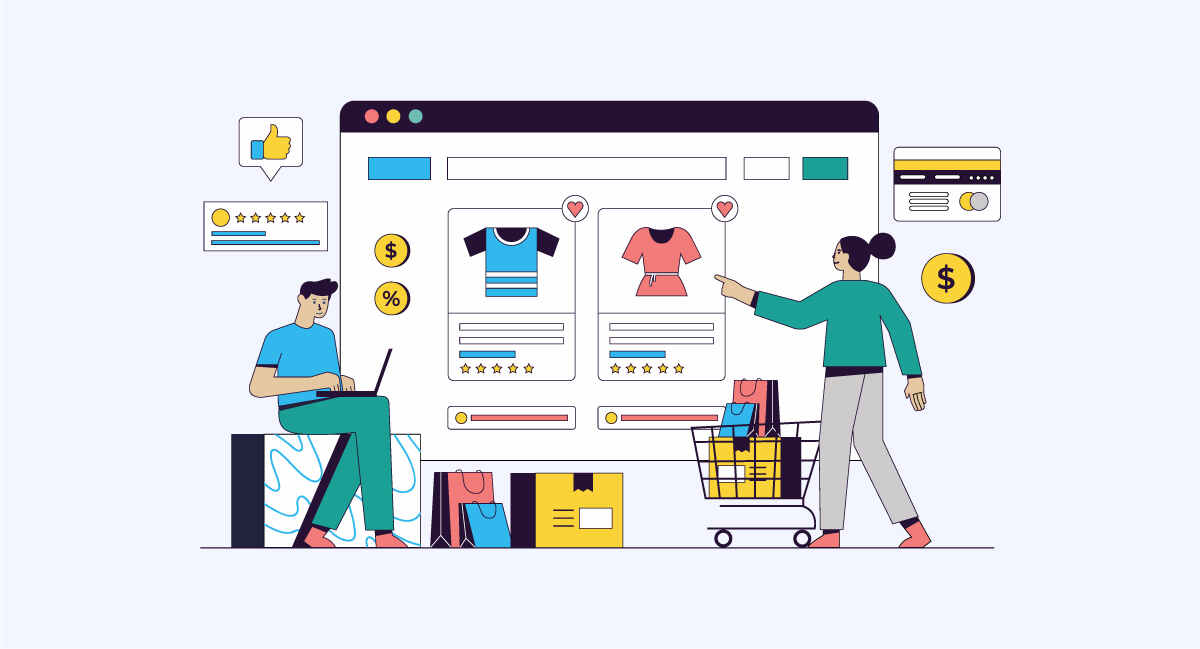
Illustration of an online store being built

What's included in the E-commerce Development template

phases
6
tasks
19
labels
5
statuses
3
1. Discovery · 3 tasks
  • Agree goals and requirementsSales goals, product range, markets, currencies, integrations and must-have features.
  • Choose the platformCompare hosted and self-hosted options on cost, features and growth.
  • Plan the site structureCategories, filters, navigation and key landing pages.
2. Design · 2 tasks
  • Design key templatesHome, category, product, cart, checkout and account pages.
  • Review and approve designsTwo review rounds with consolidated feedback, then sign-off.
3. Build · 5 tasks
  • Set up the platform and themeInstall the platform, configure settings and build the theme from the designs.
  • Import the product catalogueProducts, variants, prices, images and descriptions, checked for accuracy.
  • Configure paymentsConnect the payment provider and test each payment method.
  • Configure shipping and taxesShipping zones, rates and tax rules for every market you sell to.
  • Connect integrationsInventory, accounting, email marketing and analytics tools.
4. Content & SEO · 2 tasks
  • Write product and category contentUnique descriptions, titles and meta descriptions for key pages.
  • Set up redirects from the old storeRedirect old product and category URLs to their new pages.
5. Testing · 3 tasks
  • Test the full purchase journeyBrowse, add to cart, check out, pay and receive confirmation on mobile and desktop.
  • Test emails and notificationsOrder confirmations, shipping updates and password resets.
  • Check speed and accessibilityTest page speed and basic accessibility on key templates.
6. Launch · 4 tasks
  • Run the launch checklistPayments live, tracking working, redirects in place and test orders refunded.
  • Go live and monitor ordersLaunch, watch the first orders closely and fix problems quickly.
  • Train the store teamShow the client's team how to manage products, orders and content.
  • Post-launch reviewReview conversion, speed and issues after 30 days.

Labels

  • Payments
  • Catalogue
  • SEO
  • Integration
  • Waiting on client

Who this template is for

  • Web agencies building online stores for clients
  • Retail and D2C brands launching or replatforming a store
  • Freelance developers who need a clear store launch checklist

When to use an e-commerce project template

An online store is a website, a sales system and an operations system at once. A small problem in any part costs real money: a payment method that fails, a tax rule that is wrong or a redirect that is missing after a replatform. An e-commerce template makes sure the commercial and operational details get the same attention as the design.

Use it for a new store, a replatforming project or a major redesign of an existing store. It suits web agencies, freelance developers and in-house teams at retail and direct-to-consumer brands.

How the template is structured

  1. Discovery. Agree goals and requirements, choose the platform and plan the site structure.
  2. Design. Design the key templates and approve them in structured rounds.
  3. Build. Set up the platform and theme, import the catalogue, configure payments, shipping and taxes, and connect integrations.
  4. Content & SEO. Write product and category content and redirect every old URL.
  5. Testing. Test the full purchase journey, all emails and notifications, and speed and accessibility.
  6. Launch. Run the checklist, go live, watch the first orders, train the store team and review after 30 days.

How to use it in Worklenz

  1. Create a project for the store and link the client.
  2. Add the phases and tasks above, then add tasks per integration or market as needed.
  3. Label tasks such as Payments, Catalogue and SEO so specialists can filter their work.
  4. Plan dates on a timeline with the Gantt view, read-only on Pro and editable on Business.
  5. Track time on the Pro plan and above to compare effort with the quote.

Making store projects visible and billable

Catalogue imports and integrations are the parts of store builds that most often overrun. Time tracking shows where the hours go, and on the Business plan, project finance compares the budget with the cost of logged time. The client portal gives clients one place to send product data and requests.

Example: replatforming a fashion store

An agency is moving a fashion brand’s store to a new platform. Discovery shows most revenue comes from six categories and returning customers. The agency imports 800 products in batches and checks variants and images with the client’s team. Payments, shipping zones and taxes are configured for three countries.

Before launch, the team redirects every old product URL and tests the purchase journey on several phones. On launch day, the team places and refunds test orders, watches the first real orders and fixes a shipping rate for one country within the hour. The 30-day review shows conversion holding steady.

What to agree before you build

A few decisions shape the whole build and are expensive to change later, so settle them in discovery. Agree which markets, currencies and languages the store supports at launch and which come later. Decide which system is the source of truth for stock and prices, so the store, the warehouse and the accounting tool do not disagree. Confirm the payment methods customers expect in each market, and the shipping options and rates. Writing these decisions into the first phase prevents most late changes in the build.

Who should be involved

A project manager owns the plan and client communication. Designers and developers own design and build. An SEO specialist owns content and redirects. On the client side, a merchandiser or store manager owns product data, and someone from finance confirms payment, tax and accounting settings.

Common e-commerce project mistakes

The first mistake is leaving product data to the last weeks, when it is always slower than expected. The second is testing only on desktop. The third is launching without redirects, which loses search traffic and returning visitors. This template plans for each.

Tips for a smoother store launch

  • Start the catalogue early. Product data is usually the slowest input.
  • Test real payments. Place and refund real orders before launch.
  • Redirect every old URL. Old links bring customers and search traffic.
  • Watch the first orders. Problems in the first hours are easy to fix if you are looking.

Related: the website redesign template and the quality assurance testing template.

Start your e-commerce development project in Worklenz

Sign up free, then set up the phases and tasks above for your team.

E-commerce Development template FAQs

What are the steps in an e-commerce development project?

Discovery, design, build including catalogue, payments and shipping, content and SEO, testing and launch. This template covers each step with tasks.

How do I avoid losing sales when replatforming a store?

Redirect old product and category URLs, test the full purchase journey before launch and watch the first orders closely after going live.

Is this e-commerce template free?

Yes. The full template is on this page, and Worklenz's free plan includes task lists, kanban boards and built-in project templates.

Can the client follow progress?

Yes. Add the client as a guest on paid plans, or on the Business plan use the client portal so they can raise requests and follow updates.

Software & IT

Software Development template

Plan and deliver a software project in sprints: requirements, technical design, iterative development, testing, release and early support.

6 phases · 18 tasks. By Worklenz.

Software & IT

Bug Tracking template

A simple bug tracking workflow: capture clear reports, triage and prioritise, fix with review, verify and close, then learn from patterns.

5 phases · 15 tasks. By Worklenz.

Software & IT

IT Project template

Plan an IT project such as a system rollout, upgrade or migration: assess needs, plan and procure, implement, roll out to users and hand over to support.

6 phases · 18 tasks. By Worklenz.

Software & IT

Data Migration template

Move data between systems safely: assess and map the data, clean it, run test migrations, cut over with a rollback plan and validate the results.

6 phases · 17 tasks. By Worklenz.

Software & IT

QA Testing template

Plan and run software QA: define scope and approach, write test cases, prepare environments, execute tests, track defects and sign off the release.

5 phases · 15 tasks. By Worklenz.

Software & IT

Security Assessment template

Run a security assessment from scope to remediation: inventory assets, review risks and controls, test for vulnerabilities, report findings and track fixes to closure.

6 phases · 17 tasks. By Worklenz.

Explore more templates

Run your next project from a template

Worklenz is an open-source platform for agencies and service teams: projects, time tracking and client work in one place.