
10 Best Project Management Software for 2027
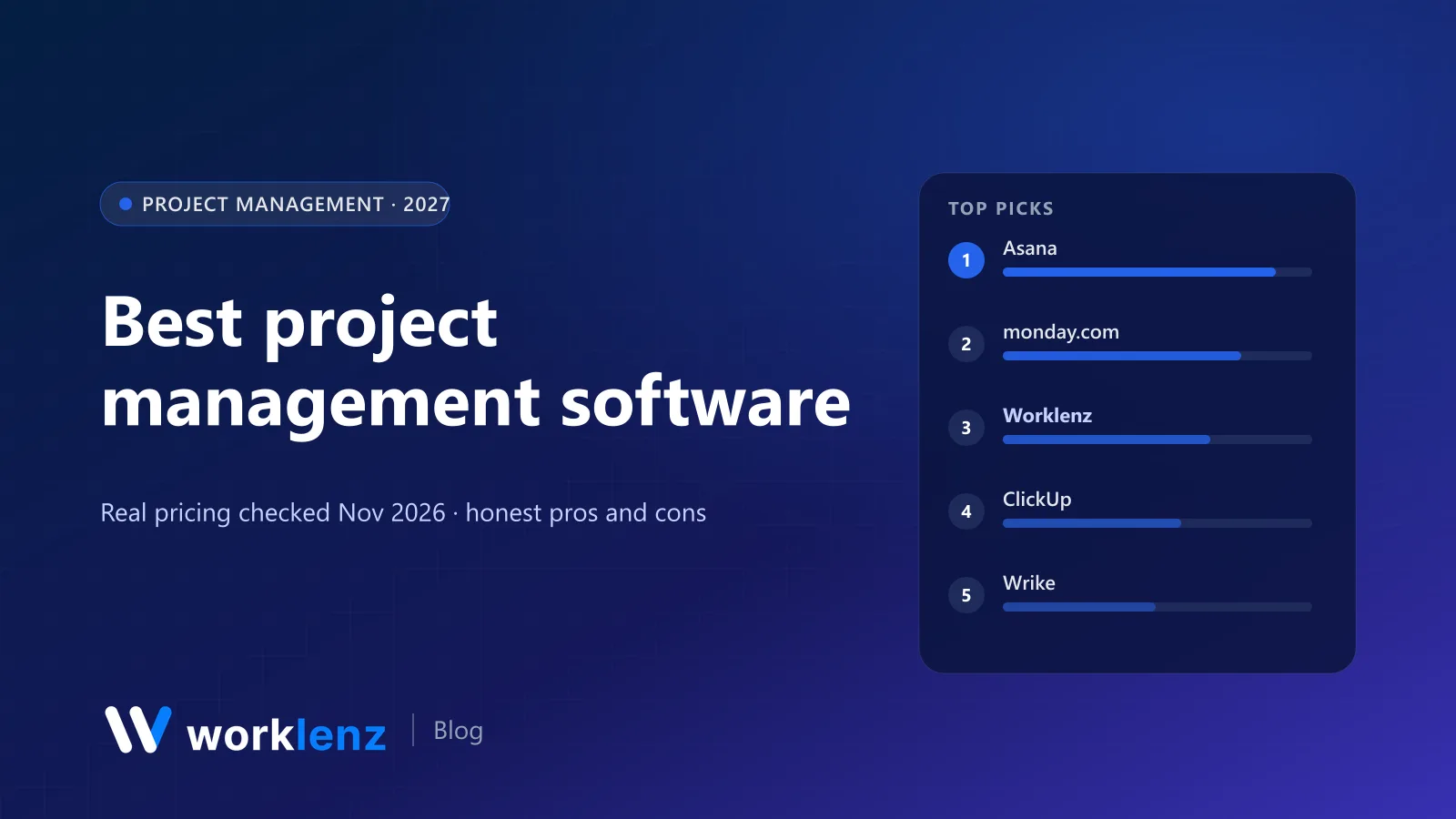
Most “best project management software” lists are written by a vendor who ranks itself first, then quotes prices from two years ago. We make Worklenz, so we have a bias too. The difference is that we checked every price on this page against the vendor’s own pricing page on 19 November 2026, worked out what each tool costs for a real team, and said plainly where Worklenz is the wrong choice.
If you only have a minute, here’s the short version.
Quick picks
- Best all-rounder for cross-functional teams: Asana
- Easiest for non-technical teams: monday.com
- Most features for the money: ClickUp
- Best for agencies and client work: Worklenz
- Best for software teams: Jira
- Best flat-price option: Basecamp
- Best for spreadsheet people: Smartsheet
- Cheapest capable option: Zoho Projects
Comparison table
Prices are per user per month, billed annually, unless noted.
| Tool | Best for | Free plan | Paid from | The catch |
|---|---|---|---|---|
 Asana |
Cross-functional teams | 2 users | $10.99 | Native time tracking and workload need Advanced ($24.99) |
 monday.com |
Visual, non-technical teams | 2 seats, 3 boards | $9 (3-seat min) | Gantt on Standard, time tracking on Pro, resource management on Enterprise |
 ClickUp |
Feature depth per dollar | Unlimited members, 60 MB | $9 | Workload view needs Business ($17) |
 Worklenz |
Agencies, client work | 5 members, 3 projects | $6 | Free plan has no time tracking or client portal |
 Wrike |
Larger, structured teams | Yes | $10 | Time tracking and budgets only on Pinnacle (quote) |
 Jira |
Software teams | Up to 10 users | ~$7.53 | Overkill for non-dev work |
 Smartsheet |
Spreadsheet-style planning | No | $9 (1–10 members) | Resource Management is a paid add-on |
 Basecamp |
Simple, flat pricing | 1 project | $29/mo flat | Project caps below the $199/mo plan |
 Notion |
Docs and light PM together | Yes | $10 | No native Gantt, time tracking or workload |
 Zoho Projects |
Budget teams | Up to 5 users | ~$4 | Dated interface |
How we picked
We started with the 25 tools that show up most often on page one of Google for “project management software”, then cut anything that’s discontinued, frozen, or really a different category (chat apps, whiteboards). For the ten that stayed we looked at four things:
- What the free plan actually lets you do, not what the headline says.
- Which tier includes the features teams outgrow free plans for: Gantt, time tracking, workload, guests and budgets.
- Real monthly cost for 5, 10 and 25 people on annual billing.
- Where people get stuck, based on the limits written into each vendor’s own pricing table.
We didn’t take money from anyone on this list, and there are no affiliate links. We didn’t run months-long trials of all ten either; this is a pricing-and-features comparison built from what each vendor publishes, plus what we know from building a PM tool ourselves.
The 10 best project management tools
1. Asana
Best for: marketing, ops and product teams who share work across departments.
Asana has been the default “grown-up” task manager for years, and it earns that. The list, board, timeline and calendar views are polished, rules are easy to set up, and portfolios give leadership a view across projects without forcing everyone into one giant board. Every task has one owner and one due date, which sounds small but removes a lot of “I thought you had it”.
Where it gets expensive is the stuff teams need once they grow. Timeline and Gantt views and free guests arrive on Starter ($10.99/user/month annual, $13.49 monthly). Native time tracking and resource management (within a portfolio) are on Advanced ($24.99 annual, $30.49 monthly). Organisation-wide workload is Enterprise. Budgets come through a separate Timesheets & Budgets add-on.
What it costs (annual, per month): 5 users about $55 on Starter · 10 users about $110 · 25 users about $275. On Advanced: about $125, $250 and $625.
Strengths
- Clean, fast interface that non-specialists learn quickly
- Strong portfolios and goals for cross-team visibility
- Unlimited free guests from Starter
Limitations
- Free plan capped at 2 users
- Workload and native time tracking need the $24.99 tier
- No invoicing or client billing
Pick it if: you have several departments that need to see each other’s work and you’re happy to pay for Advanced. Skip it if: you bill clients by the hour. You’ll be stitching Asana to a time tracker and an invoicing tool.
2. monday.com
Best for: teams that want something colourful and quick to adopt, with little training.
monday.com wins on approachability. Boards look like friendly spreadsheets, automations read like sentences, and non-technical people pick it up fast. It also has a separate CRM product if sales and delivery want to live with one vendor.
The pricing ladder is steep, though. Work management plans run Basic $9, Standard $12 and Pro $19 per seat per month (annual), with a 3-seat minimum. Timeline and Gantt views and guest access start on Standard. Time tracking is on Pro. Proper resource management is Enterprise only. The free plan covers 2 seats and 3 boards.
What it costs (Standard, annual): 5 seats about $60 · 10 seats about $120 · 25 seats about $300 a month. Pro roughly doubles that.
Strengths
- Easiest adoption for non-technical teams
- Automations and dashboards are approachable
- Big template library
Limitations
- 3-seat minimum and steep tier jumps
- Time tracking only on Pro
- Resource management only on Enterprise
Pick it if: adoption is your biggest risk and you want people using the tool by Friday. Skip it if: you need resource planning but can’t justify an Enterprise contract.
3. Worklenz
Best for: agencies, consultancies and any team that delivers projects for clients.
This is our product, so read this section with that in mind. Worklenz is built around the things client-service teams normally bolt on: time tracking, timesheets, a client portal, client requests and invoices all sit in the same workspace as tasks and projects. It’s also open source (AGPL-3.0), so you can self-host the Community edition for unlimited users at no licence cost.
Cloud pricing is per active user: Pro is $8/month or $6 billed annually, and that’s the plan with time tracking, workload, read-only Gantt, the client portal and invoicing. Business ($12, or $10 annually) adds the branded client portal, project finance, full Gantt editing and advanced reporting. The Free plan covers 5 team members and 3 active projects, with task lists, Kanban boards and templates, but not time tracking or the client portal. Paid plans have a 14-day trial with no card.
What it costs (Pro, annual): 5 users $30 · 10 users $60 · 25 users $150 a month. Business: $50, $100 and $250.
Strengths
- Time tracking, client portal and invoicing on a $6 plan
- No minimum seats
- Open source and self-hostable
Limitations
- Smaller integration catalogue than Asana or ClickUp
- Free plan lacks time tracking and the client portal
- Not built for deep enterprise portfolio management
Pick it if: you track hours, report to clients and invoice, and you’d rather pay $6 a seat than glue three tools together. Skip it if: you’re an internal product team with no clients. Asana or Jira will suit you better.
4. ClickUp
Best for: teams that want one tool to do nearly everything, and don’t mind configuring it.
ClickUp has more features than anything else here: docs, whiteboards, goals, forms, chat, dashboards and a dozen views. If you like building your own system, it’s hard to beat on price. Core is $9 and Business $17 per user per month on yearly billing, and Free Forever gives you unlimited members and tasks.
The trade-offs are real. Free has only 60 MB of storage, and time tracking and Gantt are “trial” features there. The workload view needs Business. Timesheet approvals are Enterprise. And the number of options can make a new workspace feel cluttered unless someone owns the setup.
What it costs (Core, annual): 5 users $45 · 10 users $90 · 25 users $225 a month. Business: $85, $170 and $425.
Strengths
- Huge feature set for the price
- Unlimited members on Free
- Docs, whiteboards and dashboards built in
Limitations
- 60 MB storage on Free
- Workload view only on Business
- Can feel cluttered without an owner
Pick it if: you have a confident admin who will design the workspace. Skip it if: your team wants something that works the same way on day one as on day 300.
5. Wrike
Best for: mid-size and larger teams with formal processes and approvals.
Wrike is strong on structure: request forms, approvals, cross-project dashboards and interactive Gantt charts from the Team plan ($10/user/month, 2–15 users). Business is $25 (5–200 users). New pricing applies to purchases made after 21 January 2026, so ignore older quotes.
The catch is that the features service teams care about most (time tracking, budgeting and advanced resource planning) sit on Pinnacle, which is quote-only. External users also need a paid seat.
What it costs (annual): 5 users $50 · 10 users $100 on Team · 25 users $625 on Business (Team stops at 15).
Strengths
- Interactive Gantt charts from the Team plan
- Request forms and approval workflows
- Scales to large organisations
Limitations
- Time tracking and budgets need a Pinnacle quote
- External users need paid seats
- Team plan capped at 15 users
Pick it if: you run a PMO-style operation and want governance baked in. Skip it if: you’re under 15 people. You’ll pay for structure you don’t use.
6. Jira
Best for: software development teams running Scrum or Kanban.
Jira is still the standard for engineering. Backlogs, sprints, story points, releases and a vast app marketplace are all there. The free plan covers up to 10 users with 2 GB storage, which is generous for a small dev team. Paid Standard and Premium prices drop as seat count rises; third-party trackers put Standard at roughly $7.50–$9 and Premium at roughly $13.50–$18 per user.
Outside engineering it’s less pleasant. Marketing and ops teams find the issue-centric model and configuration heavy.
What it costs: free up to 10 users · 25 users on Standard roughly $200–230 a month, depending on billing.
Strengths
- The most complete agile toolset
- Free for 10 users
- Enormous marketplace of apps
Limitations
- Heavy for non-engineering teams
- Configuration can sprawl
- Pricing varies by seat count and billing, so quotes need checking
Pick it if: you ship code in sprints. Skip it if: most of the people using it don’t.
7. Smartsheet
Best for: teams that think in rows and columns and live in Excel today.
Smartsheet looks like a spreadsheet and behaves like a project tool, which is exactly why finance-adjacent and operations teams like it. Pro is $9 (annual) for 1–10 members; Business is $19 for 3+ members and adds workload tracking and unlimited free guests. There’s a 30-day trial but no free plan. Resource Management is a separate paid add-on.
What it costs (annual): 5 members $45 · 10 members $90 on Pro · 25 members $475 on Business.
Strengths
- Familiar grid for spreadsheet users
- Gantt view on Pro
- Unlimited free guests on Business
Limitations
- No free plan
- Pro capped at 10 members
- Resource Management is an extra purchase
Pick it if: your plans already live in spreadsheets and you want the same mental model with automation. Skip it if: your team prefers boards and cards.
8. Basecamp
Best for: small teams and agencies who want calm, simple collaboration and a flat bill.
Basecamp doesn’t price per user. Freelancer is $29/month (3 projects, 5 users), Pro $79 (8 projects, 10 users), Pro Plus $99 (12 projects, 15 users), and Pro Unlimited $199/month annual ($329 monthly) for unlimited projects and users. There’s a free plan with one project and a 30-day trial on paid plans.
The project caps on the lower packages are the thing to watch. Clients and contractors count toward the user limit too. There’s no Gantt chart and no workload view.
What it costs: 5 users $29 (if 3 projects is enough) · 10 users $79 (8 projects) · 25 users $199 a month (Pro Unlimited, annual).
Strengths
- Flat pricing, great with many occasional users
- Message boards and check-ins reduce meetings
- Very little to configure
Limitations
- Project caps on every plan below $199
- No Gantt or workload
- Clients count toward user limits
Pick it if: you want message boards, to-dos and check-ins without configuration. Skip it if: you need scheduling, dependencies or resource planning.
9. Notion
Best for: teams that want docs, wikis and light project tracking in one place.
Notion is a fantastic workspace and a decent project tracker, especially for small teams that write a lot. Plus is $10 and Business $20 per seat per month. Databases support subtasks and dependencies, and guests are free.
But Notion isn’t a project management tool in the way the others here are. There’s no native time tracking, no workload view and no real Gantt chart, so you’ll feel the gaps as projects get more complex.
What it costs (Plus): 5 seats $50 · 10 seats $100 · 25 seats $250 a month.
Strengths
- Best-in-class docs and wikis
- Flexible databases
- Free guests
Limitations
- No native time tracking or workload
- Timelines are basic compared with real Gantt tools
- Flexibility means every workspace is different
Pick it if: documentation is the centre of your work and projects are small. Skip it if: you manage deadlines, capacity or client hours.
10. Zoho Projects
Best for: cost-conscious teams, especially if you already use other Zoho apps.
Zoho Projects is cheap and surprisingly complete. The free plan covers up to 5 users (with a small project cap), and Premium runs about $4/user/month annual, with time logs, timesheets, project budgets and earned value on Premium. Enterprise is about $9. There’s a 15-day trial.
The interface feels older than the competition, and the best experience comes when you buy into the wider Zoho suite.
What it costs (Premium, annual): 5 users about $20 · 10 users about $40 · 25 users about $100 a month.
Strengths
- Lowest price for timesheets and budgets
- Free for 5 users
- Connects to Zoho Invoice and Books
Limitations
- Dated interface
- Free plan’s project cap is small
- Best value only inside the Zoho ecosystem
Pick it if: budget matters most and you want timesheets and budgets on a low tier. Skip it if: design and ease of use are deal-breakers for your team.
Also worth a look
These didn’t make the top ten for a general audience, but they’re the right answer for some teams:
- Teamwork.com: a mature client-work tool. Free covers 5 users and 5 projects with Gantt; Basics is $9.99 (minimum 3) and Accelerate $24.99 (minimum 5).
- Trello: still the fastest way to get a board in front of people. Free covers 10 collaborators per workspace; Standard is $5.
- Linear: the favourite of fast product teams. Basic $10, Business $16 per user annually.
- Plane: an open source alternative to Jira and Linear. Cloud Free covers 12 users; Pro is $6.
- OpenProject: open source, strong Gantt and budgets, free Community edition if you self-host.
How to choose in practice
You don’t need a 40-row requirements spreadsheet. Answer these four questions and most of the list falls away:
- Do you bill clients? If yes, start with tools where time tracking, client access and invoicing are native: Worklenz, Teamwork.com or Productive. Generic tools will need two or three add-ons.
- Who will use it every day? Developers lean to Jira. Non-technical teams lean to monday.com or Asana. Mixed teams do best with Asana or ClickUp.
- What’s the feature that made you look? Find which tier includes it. “Gantt” or “workload” is often one or two tiers above the plan in the headline price.
- Where must your data live? If the answer is “on our servers”, your shortlist is open source: Worklenz, OpenProject or Plane.
Three common scenarios
- A 6-person design studio that bills by the hour. Worklenz Pro ($36 a month annually) covers tasks, time, client portal and invoices. Basecamp Freelancer ($29) is cheaper but has no time-to-invoice and only 3 projects.
- A 40-person company with marketing, ops and product teams. Asana Advanced or ClickUp Business. Both give cross-team workload and dashboards; Asana is calmer, ClickUp cheaper.
- A 12-person engineering team. Jira Standard or Linear Basic. If the team is 10 or fewer, Jira’s free plan may be enough.
The real cost for a 10-person team (annual billing)
| Tool and plan | Monthly cost for 10 users |
|---|---|
| Zoho Projects Premium | ~$40 |
| Trello Standard | $50 |
| Worklenz Pro | $60 |
| Basecamp Pro (flat, 10 users, 8 projects) | $79 |
| ClickUp Core | $90 |
| Wrike Team | $100 |
| Asana Starter | ~$110 |
| monday.com Standard | $120 |
| Asana Advanced | ~$250 |
Feature parity isn’t equal across those rows, which is the point: check the tier that includes what you need, not the cheapest tier.
Switching tools without losing a month
- Move active projects only. Export finished projects to CSV or PDF for the record and leave them behind.
- Use CSV import. Worklenz (Pro and up), Asana, ClickUp and Jira all import tasks from CSV. Clean the file first: one row per task, with owner, due date and status columns.
- Rebuild templates, not history. Your recurring project structures matter more than old comments.
- Run both tools for one week, then switch off the old one on a fixed date. Two tools for longer means nobody trusts either.
FAQ
What is the best project management software for 2027?
Which project management software has the best free plan?
How much does project management software cost in 2027?
Is there open source project management software that's good enough for business use?
How long does it take to switch project management tools?
Deliver client projects, track hours and invoice in one tool.
Worklenz Pro is $6 a user on annual billing. 14-day trial, no card.
Start freeRelated: Best PM software for small teams · Best free project management software · Best Gantt chart software · Best PSA software